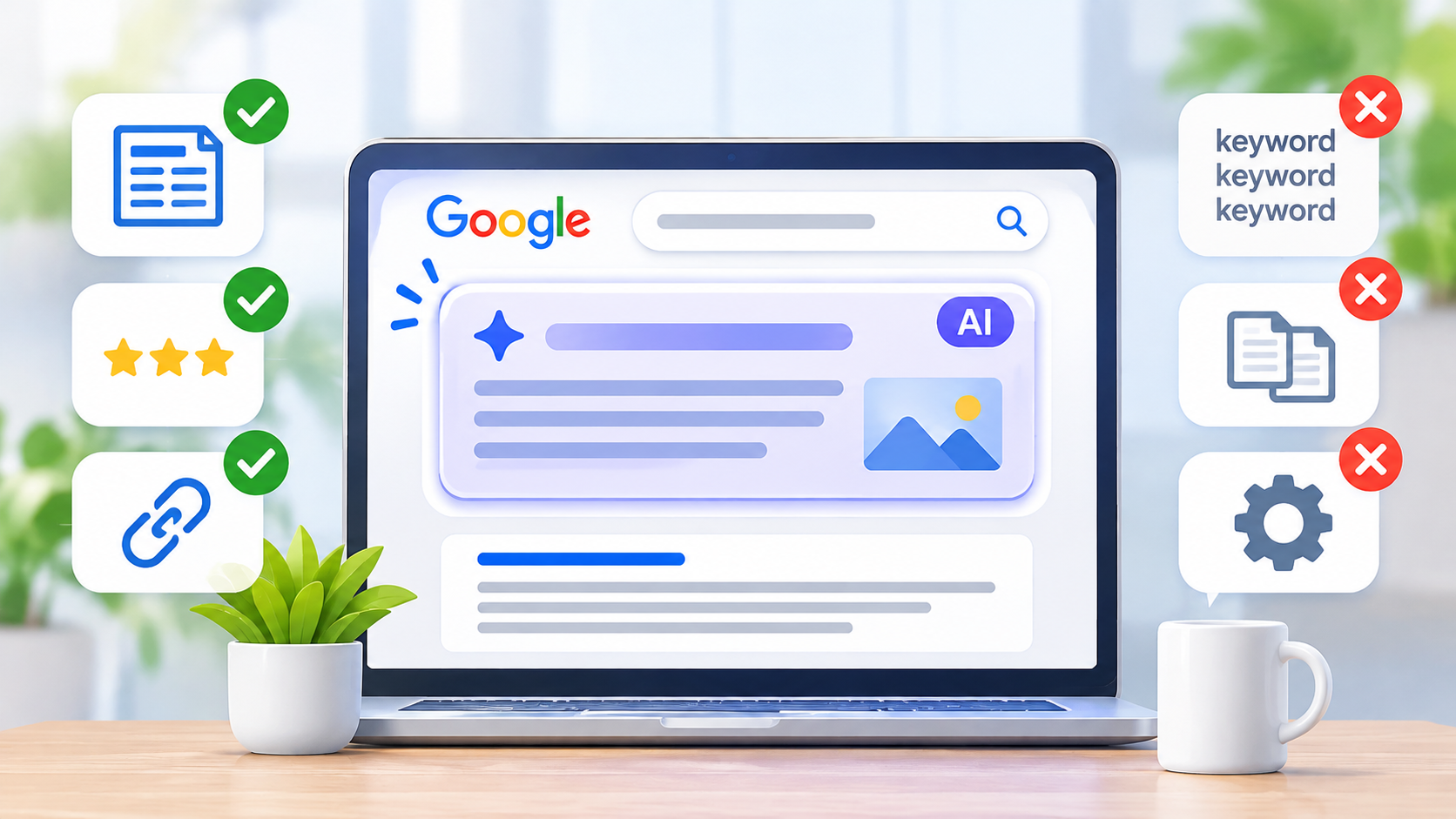
You type a question into Google. Before the normal blue links, a box appears with a short answer written by AI. That box is called an AI Overview.
For business owners, this raises a worry. “If Google answers the question itself, will anyone click on my website?” And then a second worry: “Do I need a whole new kind of SEO now?”
The short answer to the second one is no. In this guide, we will explain Google AI Overviews SEO in plain words. We will look at what Google itself says, which popular tricks you can skip, and what small businesses in Nepal can do this month. If you are new to SEO, you can also start with our post on SEO services in Nepal and how to get found on Google.
What Are Google AI Overviews?
An AI Overview is a summary that Google shows at the top of some search results. It pulls facts from pages across the web, puts them together, and adds links to the sources.
Think of it like a friend who has read ten articles for you. The friend tells you the main points and says, “If you want more, here is where I got it.”
AI Overviews do not show for every search. They show more often for questions, how-to searches, and topics where people want a quick explanation. Google keeps changing how and when they appear, so what you see today may look different next month.
Do You Need a Special Kind of SEO for AI Overviews?
No. This is the most important point in this whole guide.
Google has a page in its documentation about optimizing for generative AI search. It says that for Google Search, optimizing for AI features is still SEO. The AI features sit on top of the same search ranking and quality systems that Google already uses. You can read it yourself in Google’s AI optimization guide.
So Google AI Overviews SEO is not a new game. It is the old game, played well. That is good news. If you already follow the basics, you are on the right track.
What Google Says to Do
Pulling from Google’s guidance, here are the main things that matter.
1. Make Truly Useful Content
Google talks about “unique, valuable content” again and again. That means pages that give real answers, real experience, or real facts that a reader cannot get from a hundred other pages.
A page that repeats what everyone else says gives Google no reason to pick it.
2. Make Sure Google Can Reach Your Pages
If Google cannot crawl and index your page, it cannot use it. Check that your pages are not blocked by mistake, load properly, and show up in Google. Google Search Console helps you check this for free.
3. Keep a Clear Site Structure
Use a simple layout, clear headings, and normal links between your pages. Google also suggests using plain, meaningful page code and following good habits if your site uses a lot of JavaScript.
4. Give a Good Page Experience
Pages should load fast, work on phones, and be easy to read. You can test speed with PageSpeed Insights.
5. Avoid Duplicate Content
Do not publish the same text on many pages. Merge near-copies or make each page truly different.
6. Use Good Images and Videos
People now search with pictures and ask questions about them. Clear photos, helpful videos, and plain alt text support your text.
7. Follow Google’s Basic Rules
Google’s Search Essentials explain the rules every site should follow. Staying inside them protects you.
What You Can Skip
Online, you will find loud advice about “AI SEO,” “GEO,” and “AEO.” Some of it is fine. Some of it is a waste of time. Google’s own guide names a few tactics that you do not need for Google Search:
- Writing in a special style just for AI. You do not need to rewrite your pages for machines.
- Chopping your content into tiny “chunks” only to please AI.
- Adding an llms.txt file. Google says you can ignore these extra AI text files for Search.
- Special schema markup just for AI Overviews. Google does not publish any.
- Buying fake mentions or links to look popular.
There is also a warning. If you make piles of pages for every tiny way people might ask a question, only to trick rankings or AI answers, that can break Google’s rules on scaled content abuse. Write for real people, not for a trick.
These tactics may come and go. Google’s guidance is the safest place to check, so look at it every few months.
8 Simple Steps for Google AI Overviews SEO
Here is a plan you can follow, even without a big team.
Step 1: Pick Real Questions Your Customers Ask
AI Overviews often show up for questions. So start with the questions your customers really ask.
Where do you find them?
- Messages and calls from customers
- Google’s “People also ask” box
- The search words in Search Console
- Comments and reviews on your social pages and Google profile
A dental clinic in Lalitpur might see questions like “How long does a root canal take?” or “Is teeth whitening safe?” Those are great page topics.
Step 2: Answer the Question Early
Put a short, clear answer near the top of the page. Then explain more below. Readers like it, and Google can understand it quickly.
Example. Say your page is about how long a root canal takes.
Most root canals take one to three visits, and each visit may last 30 to 90 minutes. The exact time depends on the tooth and how bad the infection is.
After that short answer, you can add the details, steps, and cost.
This is just good writing. It is not a trick built for AI.
Step 3: Add What Only You Know
This is the biggest chance for small businesses. A big website can repeat general facts. But only you have your own photos, prices, local details, customer stories, and daily experience.
Add things like:
- Photos of your own work
- Real prices or price ranges (with a note that they can change)
- What customers in your city ask most
- Steps you actually follow
- Mistakes you see again and again
These details make your page different from the rest, which is the point.
Step 4: Be Honest and Clear About Who You Are
Show who wrote the page. Add a short author line, your business details, and your contact info. For health, money, or legal topics, have a qualified person check the facts and say so on the page. Trust matters most when a wrong answer could hurt someone.
Step 5: Use Clear Headings and Short Paragraphs
Good structure helps people skim and helps Google understand your page.
- Use one H1 for the title.
- Use H2s for big sections and H3s for smaller parts.
- Keep paragraphs short.
- Use lists and tables only where they make things easier.
Step 6: Add Normal Structured Data Where It Fits
Google does not have special markup for AI Overviews. But normal structured data, like business, product, or article details, can still help Google understand your pages. Use it where it matches what is on the page, and keep it true.
Step 7: Link Your Pages Together
Link related pages with plain, clear words. If you have a page about SEO for small shops and another about Google Maps, link them. This helps visitors and helps Google see how your pages connect.
Step 8: Keep Your Pages Fresh
Update pages when facts change. Fix old prices, old hours, and broken links. A page that is clearly kept up to date is easier to trust.
What About Local Businesses?
If you run a shop, clinic, or service in Nepal, a few extra things matter.
- Fill out your Google Business Profile completely. Name, address, phone, hours, photos, and services.
- Keep your details the same everywhere. Your website, profile, and social pages should match.
- Collect honest reviews and reply to them.
- Make location pages and service pages that talk about your area in a real way, not copy-and-paste text with the city name swapped.
- Answer local questions. For example, “How much does X cost in Kathmandu?” or “Where can I get Y near Lalitpur?”
Local results use different signals from general topics, and AI features may appear less or more for local searches. Either way, a strong profile and clear local pages are never wasted effort.
Will AI Overviews Reduce Your Clicks?
Possibly, for some searches. If a quick answer shows at the top, a few people may not click. Google has not given a simple promise either way, and results differ by topic.
Here is how to think about it:
- Simple fact questions are the most likely to be answered in the box. A page that only repeats one fact is the most at risk.
- Deeper needs still send people to websites. Buying decisions, bookings, comparisons, and local services are examples.
- Being cited can still help. A link inside the AI box can bring visitors who are ready to learn more.
So do not try to win only the tiny fact searches. Build pages that give more than a quick fact: real advice, real prices, real photos, and a clear next step.
How to Check Your Progress
Google’s guide points to a report in Search Console that shows how your content does in generative AI features on Google Search. Look for the Generative AI performance report, if it is available for your site. Also check your normal reports for clicks, impressions, and the words people use.
Because these features are new, the data may be limited or may change. Watch the trend over a few months, not one day.
Also look at the results in your own numbers: calls, messages, bookings, and sales. Visitors who come from search and take action matter more than the raw count of clicks.
Should You Limit How Google Shows Your Content?
Some site owners want control. Google says the usual tools still work. You can use settings such as the nosnippet tag and other robots meta tags to limit how your text shows in results. You can read the details on Google’s robots meta tag page.
Think before you do this, though. Limiting snippets can also limit how people find and click your pages. For most small businesses, being visible is more helpful than hiding.
Common Mistakes With Google AI Overviews SEO
- Chasing tricks instead of fixing the basics
- Copying or lightly rewriting what other sites say
- Publishing many thin pages for every tiny question
- Using text made by AI without checking facts or adding real experience
- Blocking Google from your pages by mistake
- Ignoring page speed and mobile use
- Forgetting to update old facts
- Skipping your Google Business Profile
- Judging success only by one number
Quick Checklist
- Can Google crawl and index my important pages?
- Does each page answer a real customer question?
- Is the answer clear near the top of the page?
- Did I add something only I know, like photos, prices, or local details?
- Do I show who wrote it and who runs the business?
- Are headings clear and paragraphs short?
- Does the page load fast on a phone?
- Are my business details the same everywhere?
- Did I link to related pages on my site?
- Is the content up to date?
Frequently Asked Questions
What is Google AI Overviews SEO?
It is the work of making your website useful and easy for Google to understand, so your pages can show up in AI Overviews as well as normal search results. According to Google, it is the same as regular good SEO.
Is there a special way to get into AI Overviews?
Google says there is no separate trick. Its guidance points to the same basics: useful, original content, a site Google can crawl, and a good user experience.
Do I need schema markup for AI Overviews?
Google does not offer special schema just for AI Overviews. Normal structured data can still help Google understand your pages, so use it when it fits and keep it accurate.
Should I add an llms.txt file?
Google’s guide says you can ignore llms.txt and similar files for Google Search. Spend your time on your content and site basics instead.
Do AI Overviews take away my clicks?
They might for simple fact searches. For deeper needs like buying, booking, and local services, people still visit sites. Focus on pages that offer more than a quick fact.
Can small businesses appear in AI Overviews?
Yes. Small businesses have an edge when they share real local details, photos, prices, and experience that big sites cannot copy.
How do I write content that AI Overviews can use?
Write clearly for people. Answer the question early, add depth below, use good headings, and back up your facts. You do not need to write in a strange style for machines.
Should I use AI to write my content?
You can use AI as a helper, but check every fact and add your own experience. Google’s rules target low-value mass content made mainly to game search, not the tool itself.
How can I track AI Overview results?
Check Search Console, including the Generative AI performance report if you have it. Also track calls, messages, and sales in your own tools.
Do backlinks still matter?
Yes. Links and mentions from real, trusted sources still help show that your site is worth trusting. Do not buy fake ones.
Does page speed matter for AI Overviews?
Google lists good page experience as part of the basics. A fast, mobile-friendly page helps both people and search.
How often does this advice change?
AI search is changing fast. The basics stay steady, but features and reports may change. Check Google’s guide every few months.
Final Thoughts
Google AI Overviews SEO sounds new and scary, but the heart of it is old and simple. Make pages that truly help. Answer real questions. Add what only you know. Keep your site clean, fast, and easy for Google to reach.
Start this week. Pick one important page, put a clear answer near the top, and add one thing only you can offer, like a photo, a price, or a local tip. Then repeat with your next page.
Need help with your site? The team at Flowrage can help you get found on Google, in the normal results and in the new AI ones. You can also begin with our guide to SEO services in Nepal.