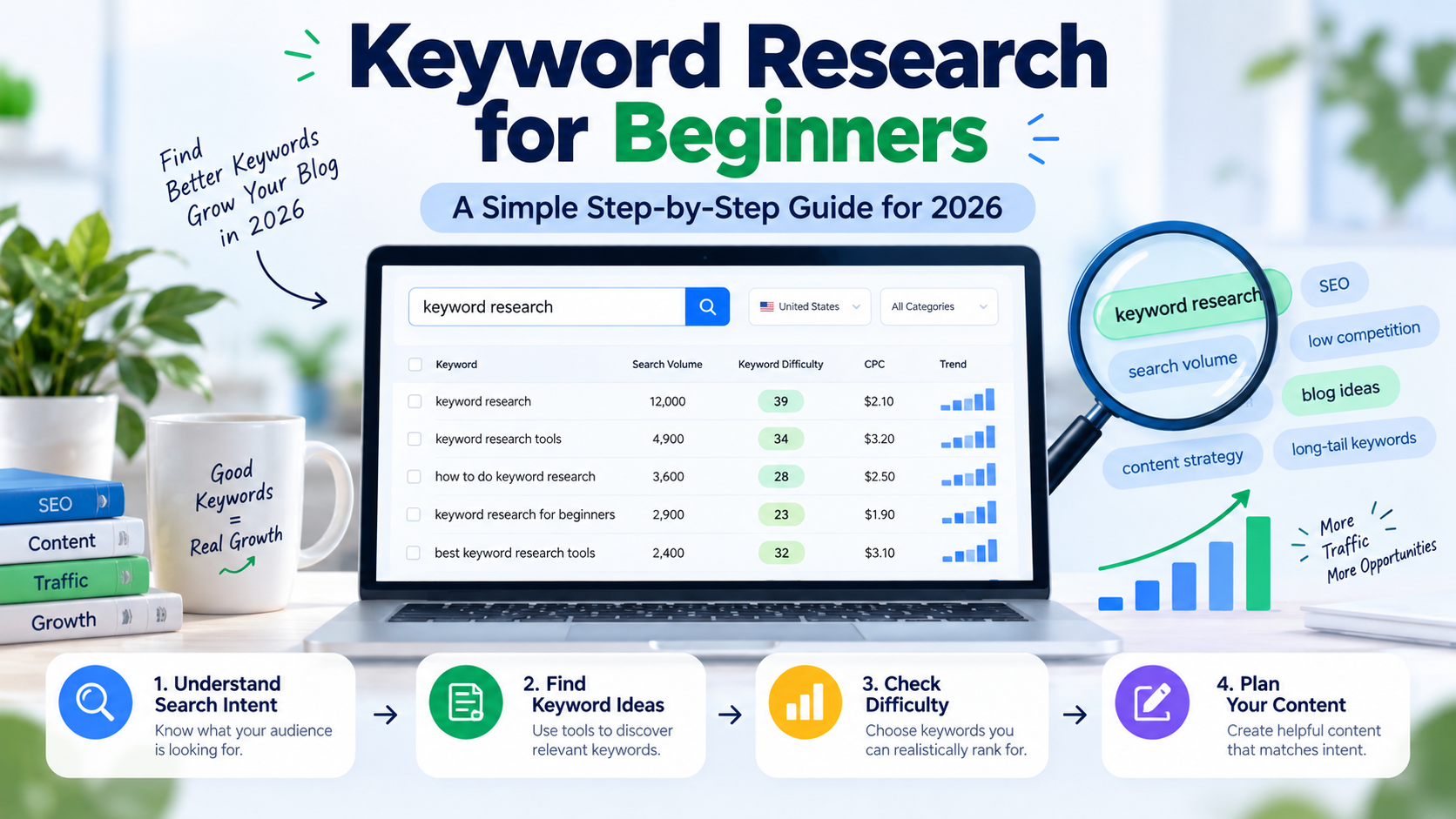
Every search on Google starts with a few words. If your page does not use the words your customers type, they will not find you. That is the whole idea behind keyword research for beginners and pros alike.
This guide to keyword research for beginners is written for people who have never done it. You do not need paid tools. You do not need to know any SEO terms yet. We will explain each one as we go.
By the end, you will know how to find good keywords, how to pick the ones you can win, and where to use them on your website.
What Is Keyword Research for Beginners?
Keyword research means finding the words and phrases people type into Google, then choosing the best ones to build your pages around.
A keyword can be one word, like “bakery”. It can also be a whole question, like “where to order an eggless cake in Lalitpur”. Both count.
Think of it as listening. Your customers are already telling Google what they need. Keyword research lets you hear it. Keyword research for beginners is just that: listen first, write second.
Why Keyword Research for Beginners Matters
Many new website owners write about what they think people want. Then they wonder why nobody visits. Guessing is the problem.
Good keyword research helps you in four ways:
- You find out what your customers really search for.
- You learn which topics have many searchers and which have few.
- You avoid keywords that are too hard for a new site.
- You know what to write next, so you stop staring at a blank page.
It also saves money. A page built on the right keyword can bring visitors for years, without paying for each click.
Key Terms for Keyword Research for Beginners
You will see these words in every tool. They are simple once you know them.
Search Volume
Search volume is the number of times a keyword is searched each month. It is an estimate. A keyword with 1,000 searches is not always better than one with 100. The 100 might bring buyers, while the 1,000 might bring browsers.
Keyword Difficulty
Keyword difficulty is a score that shows how hard it is to rank for a word. Each tool makes its own score, so numbers differ between tools. Google does not publish one. Use it to compare keywords, not as a rule.
Search Intent
Search intent is the reason behind a search. Someone who types “how to bake a cake” wants a guide. Someone who types “cake shop near me” wants to buy. Your page must match the intent, or it will not rank.
Short-Tail and Long-Tail Keywords
Short-tail keywords are short and broad, like “cake”. Long-tail keywords are longer and more specific, like “birthday cake delivery in Kathmandu”. Long-tail keywords have fewer searches, but they are easier to rank for,r and the visitors are closer to buying.
Seed Keywords
A seed keyword is your starting word. For a bakery, it might be “cake” or “bakery”. You grow your list from these.
Search Intent in Keyword Research for Beginners
Look at the table. It will help you read any keyword.
| Intent | What the person wants | Example | Best page type |
|---|---|---|---|
| Informational | To learn something | how to bake eggless cake | Blog post or guide |
| Navigational | To find a certain site | flowrage contact | Home or brand page |
| Commercial | To compare before buying | best cake shop in Lalitpur | Comparison or list |
| Transactional | To buy or book now | order birthday cake online | Product or service page |
Step-by-Step Keyword Research for Beginners

Follow these seven steps of keyword research for beginners in order. Each takes about ten to thirty minutes.
Step 1: Know Your Business and Your Customers
Write down what you sell, who buys it, and what problems you solve. Ask yourself what a customer would type if they had never heard of you.
Talk to real people too. The questions your customers ask on the phone or on WhatsApp are keyword ideas.
Step 2: Write Your Seed Keywords
List five to ten simple words that describe your business. A dentist might write “dentist”, “braces”, “teeth cleaning”, and “root canal”. Do not worry about volume yet.
Step 3: Grow Your List With Free Tools
Now expand each seed keyword. Use these free places:
- Google Autocomplete. Type your seed word into Google and read the suggestions.
- People Also Ask. The question boxes in search results show what people want to know.
- Related searches. Scroll to the bottom of the results page.
- Google Search Console. If your site is live, it shows the exact searches that bring you visitors.
Aim for 30 to 50 ideas. Write them all in a spreadsheet.
Step 4: Check the Search Intent
Search each keyword on Google and look at the top ten results. What kind of pages do you see? Guides, shop pages, lists, videos?
If every result is a guide and you plan a sales page, pick a different keyword or change your plan. Google shows what people want. Follow it.
Step 5: Check Volume and Difficulty
Now add numbers. Use a free tool like Google Keyword Planner or the free version of Ubersuggest. Note the monthly searches and the difficulty for each keyword.
Do not chase the biggest number. Keyword research for beginners should favor easy wins. A new site should look for keywords with low or medium difficulty and a clear buyer need.
Step 6: Choose and Group Your Keywords
Pick the keywords that fit three tests:
- Relevant. Does it match what you sell?
- Realistic. Can a site your size rank for it?
- Useful. Would a person who searches it be a good customer?
Then group keywords that mean the same thing. “Braces cost” and “price of braces” can live on the same page.
Step 7: Match Each Keyword to a Page
Give every main keyword its own page. If you do not have a page for a keyword, that is your next blog post or service page. If two pages chase the same keyword, they compete with each other, so merge or change one.
Free Tools for Keyword Research for Beginners
You can do all of the work above for nothing.
- Google Keyword Planner. Free with a Google Ads account. Without ads, pend it shows ranges, not exact numbers.
- Google Trends. Shows if interest in a word is rising, falling, or seasonal.
- Google Search Console. Shows real searches for your own site.
- Ubersuggest (free plan). Gives volume, difficulty, and ideas with daily limits.
- Autocomplete and People Also Ask. Free, fast, and easy to forget.
Paid tools like Ahrefs and Semrush give deeper data and are worth it later. You do not need them on day one.
Keyword Research for Beginners in Nepal
Most guides to keyword research for beginners are written for the US or the UK. A few things work differently here.
- Volume is often low. Many Nepali searches show as zero or ten in tools. Do not ignore them. Small numbers can still bring real customers.
- People mix languages. Some search in English, some in Nepali script, and some in Romanized Nepali. Test all three for your topic.
- Local words matter. Add places like Kathmandu, Lalitpur, Bhaktapur,r or Pokhara. “Dentist in Lalitpur” beats “dentist” for a local clinic.
- Search Console fills the gaps. Real data from your own site is often better than a tool’s guess.
If you serve a local area, pair this with a strong Google Business Profile. Our local SEO services cover how the two work together.
Keyword Research for Beginners Example: A Bakery in Lalitpur
Let us run through the steps with an example. The numbers are made up, but the method is real.
Seed keywords: cake, bakery, birthday cake.
Ideas from Autocomplete and People Also Ask: birthday cake in Lalitpur, eggless cake in Kathmandu, custom cake order, cake delivery near me, how far ahead to order a cake.
Intent check: “birthday cake in Lalitpur” shows shop pages and map results, so the intent is to buy. “How far ahead to order a cake” shows blog posts, so the intent is to learn.
Choice: The bakery makes a service page for “custom birthday cake in Lalitpur” and a short guide for “how far ahead to order a cake”. The service page brings buyers. The guide brings readers who may order later.
That is the whole method. Small, specific, ic and tied to real customers.
How to Choose Winnable Keywords in Keyword Research for Beginners

A new site should not aim at the top of a hard market. Try this plan instead.
- Start with long-tail keywords that have a clear buyer need.
- Look at the top results. If they are all huge brands, skip that keyword.
- Check if small sites rank on page one. That is a good sign.
- In Search Console, find pages stuck at positions 8 to 20. A small update can push these onto page one.
- Build up. Once you rank for small keywords, go for bigger ones.
Common Mistakes in Keyword Research for Beginners
- Picking only high-volume keywords.
- Ignoring search intent.
- Using a keyword that does not match the page.
- Targeting the same keyword on many pages.
- Stuffing the keyword into every sentence.
- Doing research once and never again.
- Trusting tool numbers as exact facts.
How to Use Your Keywords on the Page
Keyword research for beginners does not end with a list. Once you pick a keyword, place it where it counts. Doit naturellement.
- In the title tag and the H1.
- In the first 100 words.
- In at least one subheading.
- In the URL, in short form.
- In the image alt text, where it fits.
- In the meta description.
Then use related words and questions across the page. Write for the reader first. If a sentence sounds odd with the keyword in it, rewrite the sentence. Our on-page SEO service helps with this at scale.
How Often Should You Do Keyword Research?
Keyword research for beginners is not a one-time job. Do a full round when you start, then check every three to six months. Trends change, new competitors appear, and your business grows. Also look at Search Console each month for new searches you did not plan for.
Keyword Research Checklist for Beginners
- Write down your products, services,s and customer problems.
- List 5 to 10 seed keywords.
- Expand with Autocomplete, People Also Ask,sk and related searches.
- Check the top results for search intent.
- Add volume and difficulty from a free tool.
- Choose relevant keywords, realistic, practical,c and useful.
- Group similar keywords.
- Give each main keyword its own page.
- Place keywords naturally in titles, headings, ings and text.
- Review your results in Search Console every month.
Frequently Asked Questions
What is keyword research for beginners?
It is the simple process of finding the words your customers type into Google and choosing the best ones for your pages. Beginners can do it with free tools in an afternoon.
How many keywords should I use on one page?
Pick one main keyword and a few close variations. A page can rank for dozens of related searches, but it should be built around one main topic.
Is keyword research still useful in 2026?
Yes. Keyword research for beginners still starts the same way. People now also ask AI tools, but they still start with questions and topics. Knowing those words helps you write pages that search engines and AI tools can understand and use.
Do I need paid tools?
No. Google Search Console, Keyword Planner, Trends, rends and Autocomplete are enough to start. Paid tools help once your site grows.
What is a good keyword difficulty for a new site?
Aim for low difficulty first. Numbers differ between tools, so compare keywords within the same tool and check the real search results too.
How long does keyword research take?
A first round can take two to four hours for a small site. After that, small monthly checks are enough.
Can I do keyword research for beginners without any SEO experience?
Yes. Follow the seven steps in this guide, start small, and learn as you go.
Your Next Step
Open a spreadsheet and write ten seed keywords. Search each one on Google and see what appears. That alone will teach you more than reading ten more guides. Keyword research for beginners is mostly learning by doing.
If you would like help, book a free consultation with Flowrage. Our SEO services include keyword research, content marketing, and a plan built around your customers.