Your business has a name, an address, a phone number, and opening hours. People can read all of that on your website. But Google is a machine. It has to guess which line is the phone number and which is the street. Most of the time it guesses right. Sometimes it does not.
Local business schema markup removes the guessing. It is a small block of code that tells search engines, in a clear format, who you are, where you are,e and when you are open. You add it to your site once, and search engines read it every time they visit.
This post explains local business schema markup in simple words. You will see what it does, which fields matter, a full example, le and how to add and test it. You will also learn how to make the code without paying for software, and when to ask an expert.
What Is Local Business Schema Markup?
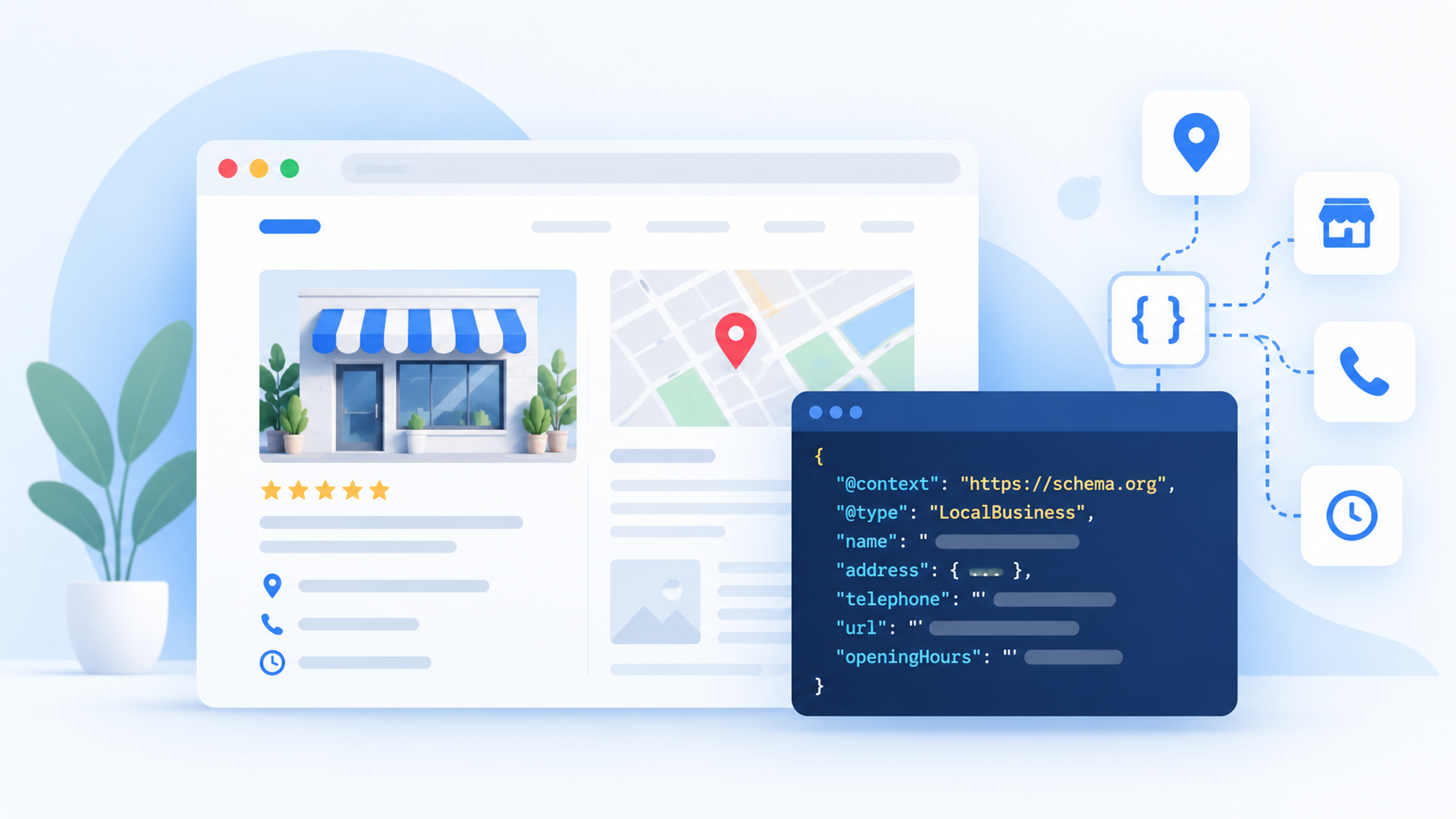
Schema markup is code that labels the information on your page. The labels come from a shared list at Schema.org, which search engines such as Google use. Local business schema markup uses the labels made for businesses with a physical place or a service area.
Think of a form with boxes. Name goes in one box. Address goes in another. Phone goes in a third. Your web page is like a letter with all that info mixed into paragraphs. The schema is the filled-in form that comes with the letter.
The most common format is JSON-LD. It sits in a script block on the page and is not shown to visitors. Google recommends it, and it is the easiest format to add and edit.
Why Local Business Schema Markup Matters
A few clear reasons make it worth the ten minutes it takes.
- It makes your details clear. Search engines get your name, address, phone, and hours without guessing.
- It supports your other signals. When your site, your Google Business Profile,e and your listings all say the same thing, it builds trust.
- It helps with accuracy. Wrong hours or a wrong phone number cost you customers. Clean data helps avoid mix-ups.
- It can help search tools understand you. As search tools grow smarter, clear, labeled data is easier for them to use.
- It is free. You do not pay anyone for the right to add it.
It also has limits. Google says that structured data does not guarantee any special display in results. And local business schema markup is not a direct ranking boost. Think of it as good housekeeping that helps search engines read your site correctly. You can read more in Google’s introduction to structured data.
Does Local Business Schema Markup Help Rankings?
Not in a direct way. Google does not say, “add schema and rank higher”. What it does say is that structured data helps it understand a page, and that it can power some features in results.
For a local business, the biggest ranking signals still come from your Google Business Profile, reviews, links, relevance,ce and distance to the searcher. Our local SEO services look at all of these signals together.
So add the markup because it helps you be clear and consistent, not because you expect a jump overnight.
The Key Fields in Local Business Schema Markup
You do not need every field. Start with the ones that matter most.
| Field | What it holds | Example |
|---|---|---|
| @type | The kind of business | Dentist, Restaurant, Plumber |
| name | Your business name | Smile Dental Clinic |
| image | A photo or logo | A link to your image |
| url | Your website address | https://www.example.com |
| telephone | Your phone number | +977-1-5555555 |
| address | Your street, city, region, postal code and country | See the example below |
| geo | Your map coordinates | Latitude and longitude |
| openingHoursSpecification | The days and times you are open | Sunday to Friday, 10:00 to 18:00 |
| priceRange | A rough price level | $$ |
| sameAs | Links to your social and other profiles | Facebook, LinkedIn, Google Maps |
Google says the name and address are the key fields. Fields like opening hours, phone, map coordinates,tes and website add useful detail. Google lists them in its local business structured data guide.
Pick the Most Specific Type for Local Business Schema Markup
Schema.org has a general type called LocalBusiness. It also has many more specific types, such as Dentist, Restaurant, Plumber, Electrician, HotelRoom, RealEstateAgent, and more. Use the most specific one that fits. A dentist should use Dentist, not just LocalBusiness. A specific type tells search engines more.
How to Create the Code Without Writing It by Hand
You do not have to write that code by hand. There are three common ways to get it.
Here are your options:
- A free schema generator. Many free online tools let you fill in your details and copy the finished code. Check the result against your real details before you use it.
- An SEO plugin. If your site runs on WordPress, plugins like Rank Math or Yoast’s local SEO add-on have a place to enter your business details and add the code for you.
- An expert. If your site is large, has many branches,s or does not allow custom code, a specialist can write, add, dd and test it for you.
Whichever way you choose, the steps after this are the same. Make the code, add it to the right page, and test it. At Flowrage, we add this kind of markup as part of our technical SEO and local SEO work.
How to Add Local Business Schema Markup, Step by Step
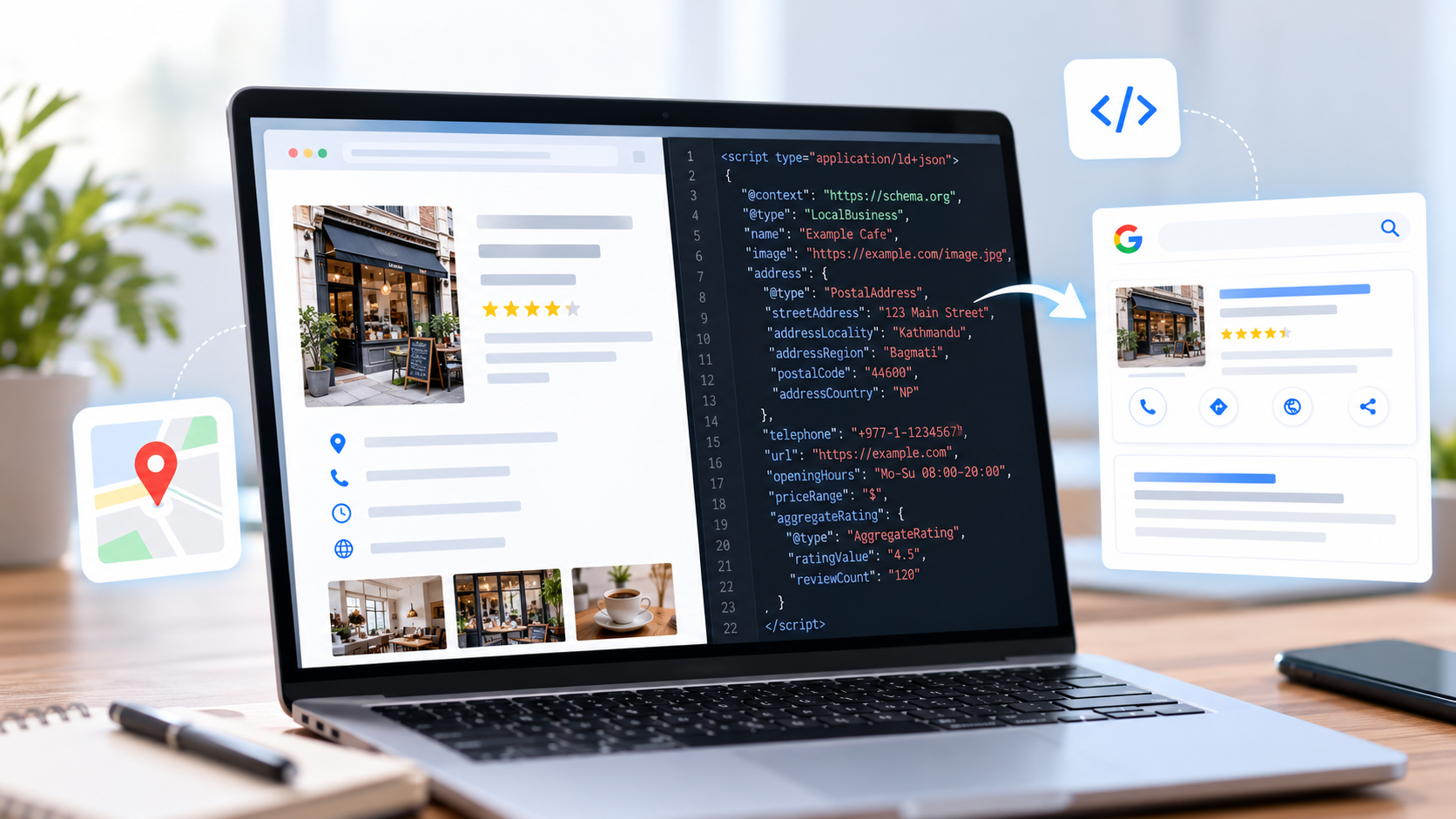
Follow these steps.
Step 1: Collect Your Business Details
Write down your exact business name, address, phone number, website, hours,s and social links. Use the same details that appear on your Google Business Profile and on your site. Small differences, like “Road” and “Rd”, can cause mismatches.
Step 2: Make the Code
Use a schema generator or your SEO plugin to create your JSON-LD code. Or write it by hand using the example above. Check that every detail is right.
Step 3: Pick the Right Page
Add the code to the page that best shows your business details. For most small businesses, that is the home page and the contact page. If you have more than one location, give each location its own page with its own code.
Step 4: Add the Code to Your Site
There are a few common ways:
- WordPress with an SEO plugin. Many plugins have a place to enter local business details and add the code for you. Use only one tool for schema, so you do not add the same code twice.
- A code snippet or header plugin. Paste the script block into the header or footer area for that page.
- A site builder. Most have a custom code or embed box. Paste the script block there.
- Google Tag Manager. You can add the script through a custom HTML tag.
- A developer. Send them the code and the page address.
Step 5: Test It
After you add it, test it. Use Google’s Rich Results Test and the Schema Markup Validator. Paste your page address or your code. Fix any errors they find.
Step 6: Check Search Console
In Google Search Console, watch for new reports that mention structured data on your site. Fix any warnings or errors that appear.
Match Your Local Business Schema Markup to Your Page and Profile
This is the rule many people break. Your schema should match what visitors can see on your page. If your page says you open at 10:00 and your schema says 9:00, you create a mix-up. If your Google Business Profile has a different phone number, you create another one.
Before you publish, check these three places:
- The information on your page.
- The information in your schema.
- The information in your Google Business Profile.
All three should say the same thing. When they do not, fix them at the same time.
Local Business Schema Markup for More Than One Location
If you have several branches, give each one its own page and its own schema. Each page should have:
- The branch name.
- The branch address and phone number.
- The branch opening hours.
- A map and photos of that branch.
Do not put all branches in the schema of one page. Keep it clear which location each page is about.
Should Local Business Schema Markup Include Review Stars?
Many owners want star ratings to show up in Google. Be careful here. Google’s rules say that reviews written about your own business, and marked up on your own site, are not eligible for star results. This is sometimes called self-serving reviews.
So do not add star-rating markup for your own business just to chase stars. It will not help, and wrong use can cause problems. Instead, collect honest reviews on your Google Business Profile, and reply to every one, good or bad. A steady review routine helps real customers far more than code does.
Common Mistakes With Local Business Schema Markup
- Using the general LocalBusiness type when a specific type exists.
- Putting details in the schema that do not appear on the page.
- Using a different name, address, SSN, or phone from your Business Profile.
- Adding the same schema twice, from a plugin and by hand.
- Broken code, like missing commas or curly quotation marks.
- Wrong opening hours, or hours that are not updated for holidays.
- Marking up reviews of your own business.
- Adding the code and never testing it.
- Forgetting to update it after you move or change your number.
- Using fake or placeholder details like the ones in an example.
How Often to Check Your Local Business Schema Markup
- When you first add it. Test it right away.
- When your details change. New phone, new hours, new address, new logo.
- After a redesign or plugin change. Code can disappear or double up.
- Twice a year. A quick check keeps your data fresh.
While you are cleaning up, also check that your page titles and descriptions look good in search and that your links work. An on-page SEO review covers both.
A Simple Local Business Schema Markup Checklist
Use this list before you call the job done.
- I picked the most specific business type.
- My name, address, and phone match my Business Profile.
- My hours are right and match my page.
- I added a logo or photo, my website,e and my social links.
- I added the code only once.
- I tested it in the Rich Results Test and the Schema Markup Validator.
- I did not add star ratings for my own reviews.
- I added a reminder to check it twice a year.
Need Help With Schema Markup for Your Local Business?
Adding the code is easy once you know the steps. But the details can trip you up, especially with many branches, a custom site, te or mixed-up business data. At Flowrage, we can help in these ways:
- Technical SEO for schema, site speed,eed and crawl problems.
- Local SEO for your Google Business Profile, reviews and listings.
- On-page SEO for titles, headings and page content.
- Off-page SEO for links and mentions.
You can see our full SEO services and SEO packages to learn how we work.
Frequently Asked Questions
What is local business schema markup?
It is code that labels your business details, like your name, address, phone, and hours, so search engines can read them clearly. It uses the shared labels from Schema.org.
Is local business schema markup free?
Yes. You can write it yourself, use a generator, or use an SEO plugin. You do not have to pay to add it, though you may pay an expert to do it for you.
Does local business schema markup help SEO?
It helps search engines understand your page, but it is not a direct ranking boost. It works best as part of a complete local SEO plan with a strong Google Business Profile, reviews,eviews and links.
What is JSON-LD?
JSON-LD is a format for writing schema markup. It sits in a script block on your page, and it is the format Google recommends.
Where should I put local business schema markup?
Put it on the page that shows your business details, such as the home page or contact page. For several locations, give each location its own page and code.
Which type should I use for local business schema markup?
Pick the most specific type that fits your business, like Dentist, Restaurant, or Plumber. Use LocalBusiness only if no specific type fits.
How do I test local business schema markup?
Use Google’s Rich Results Test and the Schema Markup Validator. Both check your code and show errors and warnings.
Can I add star ratings to my schema?
For reviews of your own business on your own site, Google does not show stars. Collect real reviews on your Google Business Profile instead.
Do I need to update my local business schema markup?
Yes. Update it whenever your name, address, phone, hours,s or links change. Check it twice a year.
Do I need a developer to add schema?
Not always. With a free generator and a plugin or a custom code box, many owners can add it without help. Ask a developer if your site does not allow custom code.
What if my schema does not match my Google Business Profile?
Fix both so they match. Mixed details confuse search engines and customers.
Create Your Local Business Schema Markup Today
Collect your business details, create your code, de and add it to your home page or contact page. Then test it in Google’s Rich Results Test. The whole job takes about fifteen minutes, and your business details will be clear to every search engine that visits.
If you would like an expert to do it for you, book a free consultation with Flowrage. We will check your site, add the right schema, and test it.