It is the end of the month. You open the report from your SEO company. It has forty charts, three colours, and a lot of short words. You scroll to the bottom and still cannot answer one simple question: did more customers find us?
This happens a lot. Good work can look bad in a messy report, and weak work can hide in a pretty one.
This guide explains local SEO reporting in plain steps. You will learn which numbers matter, where to find them, how to read them in ten minutes, and how to spot a report that is hiding something. It is written for shop owners, clinic managers, and anyone who pays for local SEO in Nepal and wants to understand it.
Quick Answer: What Is Local SEO Reporting?
Local SEO reporting is a regular summary that shows whether your work to be found on Google Maps and local search is bringing more calls, visits, and enquiries. A good report tracks Google Business Profile actions, local rankings, reviews, website visits from local searches, and real leads. It compares each number with last month, explains what changed, and says what happens next.
If a report only shows rankings and pretty charts, and never mentions calls or customers, it is not telling you enough.
Why Local SEO Reporting Matters
Local SEO is slow. Results can take weeks or months. Without a report, you are guessing.
Good local SEO reporting helps you in four ways:
- You see what works. Maybe reviews bring more calls than new photos did. A report shows it.
- You spot problems early. A sudden drop in calls can mean wrong opening hours, a broken phone number,r or a suspended profile.
- You decide where to spend. If one branch gets more leads, you can give it more help.
- You know if you are getting value. You can judge a monthly fee by results, not by promises.
The Metrics That Matter Most in Local SEO Reporting
You do not need a hundred numbers. These are the ones that tell the truth.
| Metric | What it tells you | Where to find it |
|---|---|---|
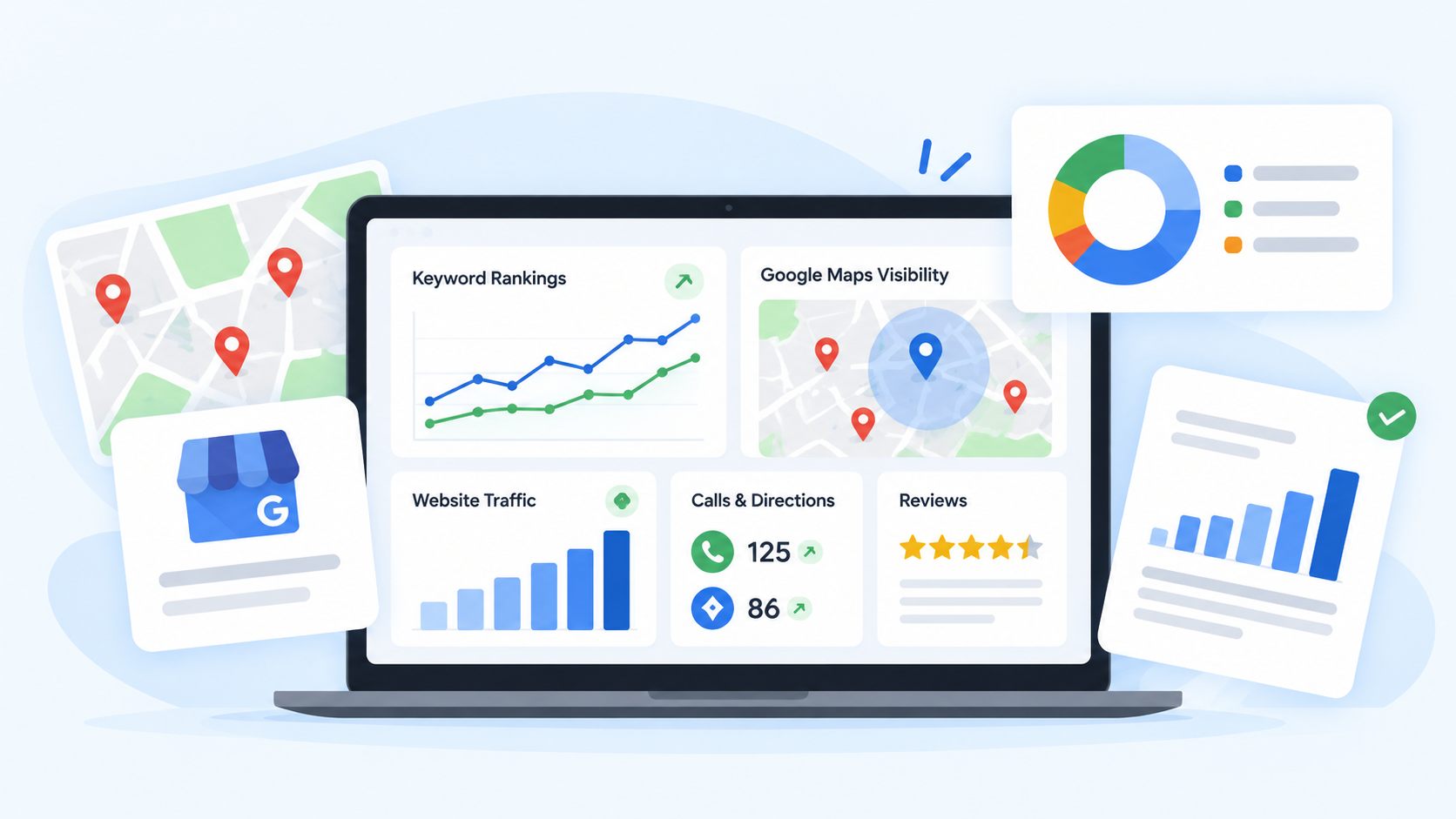
| Calls from your profile | People who tapped to call you | Google Business Profile Performance |
| Direction requests | People who plan to visit | Google Business Profile Performance |
| Website clicks | People who went from your profile to your site | Google Business Profile Performance |
| Local ranking | Where you show on the map for key searches | A rank tracking tool |
| Reviews | How many, how good, how recent | Your profile |
| Local search clicks and impressions | How often your site shows up and gets clicked | Google Search Console |
| Leads | Real enquiries by phone, WhatsApp, form or visit | Your own records |
Google Business Profile Performance
This is the first place to look. Google’s help page on Business Profile performance and insights explains the available metrics, such as calls, direction requests and website clicks. It also says only some metrics appear, depending on your business, and that data is available for verified profiles.
For most local businesses, calls and direction requests are the strongest signs of real interest. Profile views are nice to see, but a view is not a customer.
A note for service businesses: if you hide your address and serve customers at their homes, you may not see direction requests at all. That is normal.
Local Rankings
Rankings show where your business appears on the map for the searches that matter, such as “dentist near me” or “AC repair in Lalitpur.” Results change with where the searcher stands, so a single number can fool you. Many tools show a grid of rankings across your area. This gives a better picture than one spot check. Our post comparing Semrush and MapHigher looks at tools that do this.
Reviews
Track how many new reviews you got, your average rating, how many you replied to, and what customers wrote. Reviews are a strong signal for local results, and they help people choose you. A report should show the trend, not only the total.
Website Traffic and Search Console
Your website also takes part in local search. Google Search Console shows how many people saw your site in search and clicked it. Its Performance report lets you see clicks, impressions, ns and the searches behind them. Look for searches with your city, your area, rea or “near me.” Compare the same pages from month to month.
Leads and Sales
This is the number that pays the bills. Count calls you answered, WhatsApp messages, form fills, walk-ins, and bookings. Ask new customers, “How did you find us?” and write it down. Even a simple sheet beats nothing. Without this, local SEO reporting stays a story about clicks.
Listings and Consistency
Check that your name, ad,dress and phone number match on your profile, website, Facebook, and directories. A report should list new listings added and any wrong details found and fixed.
Vanity Metrics to Treat With Care
Some numbers look big but say little. Good local SEO reporting does not hide behind them.
- Total views or impressions alone. Views can rise while calls stay flat.
- Keyword counts. Ranking for fifty odd words is not the same as ranking for the five that bring customers.
- A single “#1” screenshot. It may be true only on one street.
- Follower counts. Likes do not equal leads.
- Traffic from far away. Visits from people who cannot use your shop do not help.
Use these only as side notes. Put calls, directions,s and leads first.
What a Good Local SEO Reporting Template Looks Like
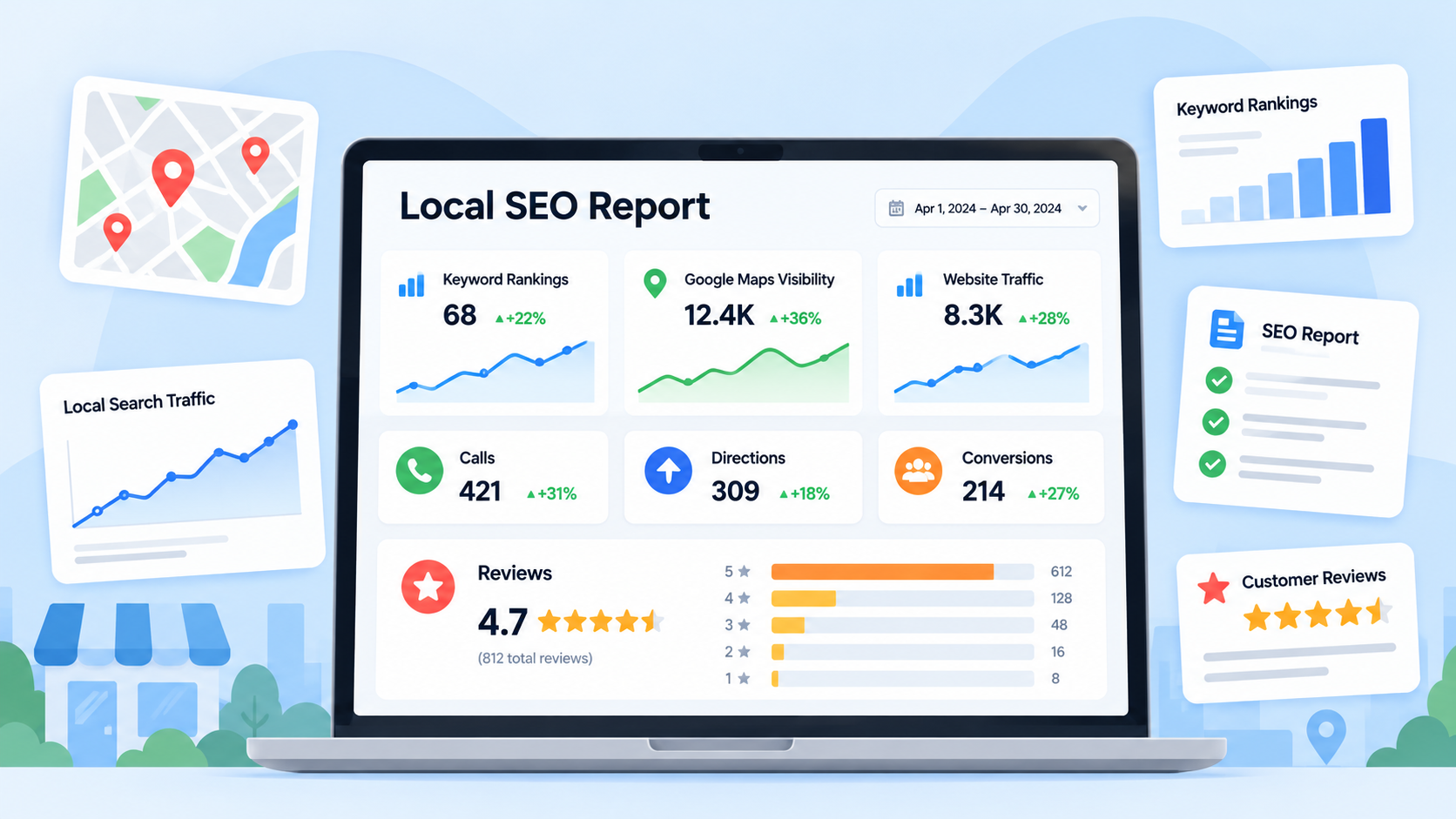
A useful report is short and in plain words. It should follow this order.
- A summary. Three or four sentences: how did the month go, and why?
- Key numbers. Calls, directions, website clicks, new reviews, rating, ng and leads, compared with last month and, if possible, the same month last year.
- What we did. The work done this month, such as new photos, review replies, fixes, new pages,ges or listings.
- What happened and why. A short reason for each big rise or fall.
- Problems. Anything that went wrong or needs your help.
- Next month’s plan. Clear tasks, not vague promises.
Here is a small example, with made-up numbers, of how the key numbers might look.
| Metric | Last month | This month | Change |
|---|---|---|---|
| Calls from profile | 42 | 51 | Up |
| Direction requests | 30 | 33 | Up |
| Website clicks | 70 | 64 | Down |
| New reviews | 4 | 9 | Up |
| Leads (all sources) | 25 | 31 | Up |
A short note should sit beside it, for example: “Reviews rose after we started asking after each visit. Website clicks fell because we changed the link on the profile. We are fixing it.”
How Often Should You Get a Report?
Most businesses do well with this rhythm:
- Weekly quick check. Look at new reviews and missed calls. It takes five minutes.
- Monthly report. The main review of numbers and work done.
- Quarterly review. A bigger talk about what is working and where to spend next.
Do not judge local SEO by a single week. Small swings are normal. Look for the trend over several months.
Local SEO Reporting in Nepal: Special Points
Some things are different here, and your report should reflect them.
- Calls and WhatsApp matter most. Many customers call or message instead of filling in a form. If you do not count them, your report will look weaker than the truth.
- Walk-ins are real leads. Many people see your profile, then simply visit. Direction requests and “how did you find us?” notes help catch these.
- Two languages. People search in English and Nepali. Ask your team to check both in Search Console and in rank checks.
- Mobile first. Most local searches happen on phones, so check how your profile and site look on mobile.
- Festival dips and spikes. Dashain, Tihar,ihar and wedding seasons change demand. Compare with the same time last year, not only last month.
- More than one branch. Report each location on its own, with its own profile and numbers.
We worked on exactly this kind of tracking for a construction company in Nepal, where calls and enquiries were the main goal.
How to Read Your Report in Ten Minutes
You do not need to be an expert. Follow these steps.
- Read the summary first. Does it explain the month in plain words?
- Check calls and direction requests. Are they up, flat, or down?
- Compare with last month and last year. One month alone can mislead.
- Look at reviews. How many new ones? Did anyone complain about the same thing twice?
- Find the big changes. Any number that moved a lot should have a reason next to it.
- Check the leads. Did the extra calls turn into real customers?
- Write down your questions. Ask them at your next call.
What to Do With the Numbers
A report is only useful if it leads to action. Here are some common signs and what to check.
| What you see | What to check |
|---|---|
| Calls are down | Opening hours, phone number, a suspended or changed profile |
| Views are up, but calls are flat | Categories, photos, reviews, how clear your offer is |
| Direction requests are low | Pin location, address, photos of the entrance |
| Website clicks are down | The website link on your profile, site speed, page content |
| Few new reviews | How and when you ask customers |
| Rankings fall in one area | New nearby competitors, wrong details, or a profile problem |
If your profile suddenly vanishes from results, check first whether it has been suspended. Google explains how to fix suspended or disabled profiles.
Red Flags in a Local SEO Report
Be careful if your report has any of these.
- It shows only rankings and never calls, directions, or leads.
- It has no comparison with earlier months.
- It uses screenshots with no dates or locations.
- It promises a guaranteed number one spot.
- It uses long words and charts but no plain summary.
- It never mentions bad months or problems.
- It cannot say what work was done for the fee.
A good team shows the full picture, including the weak points, and explains what it will change.
Tools for Local SEO Reporting
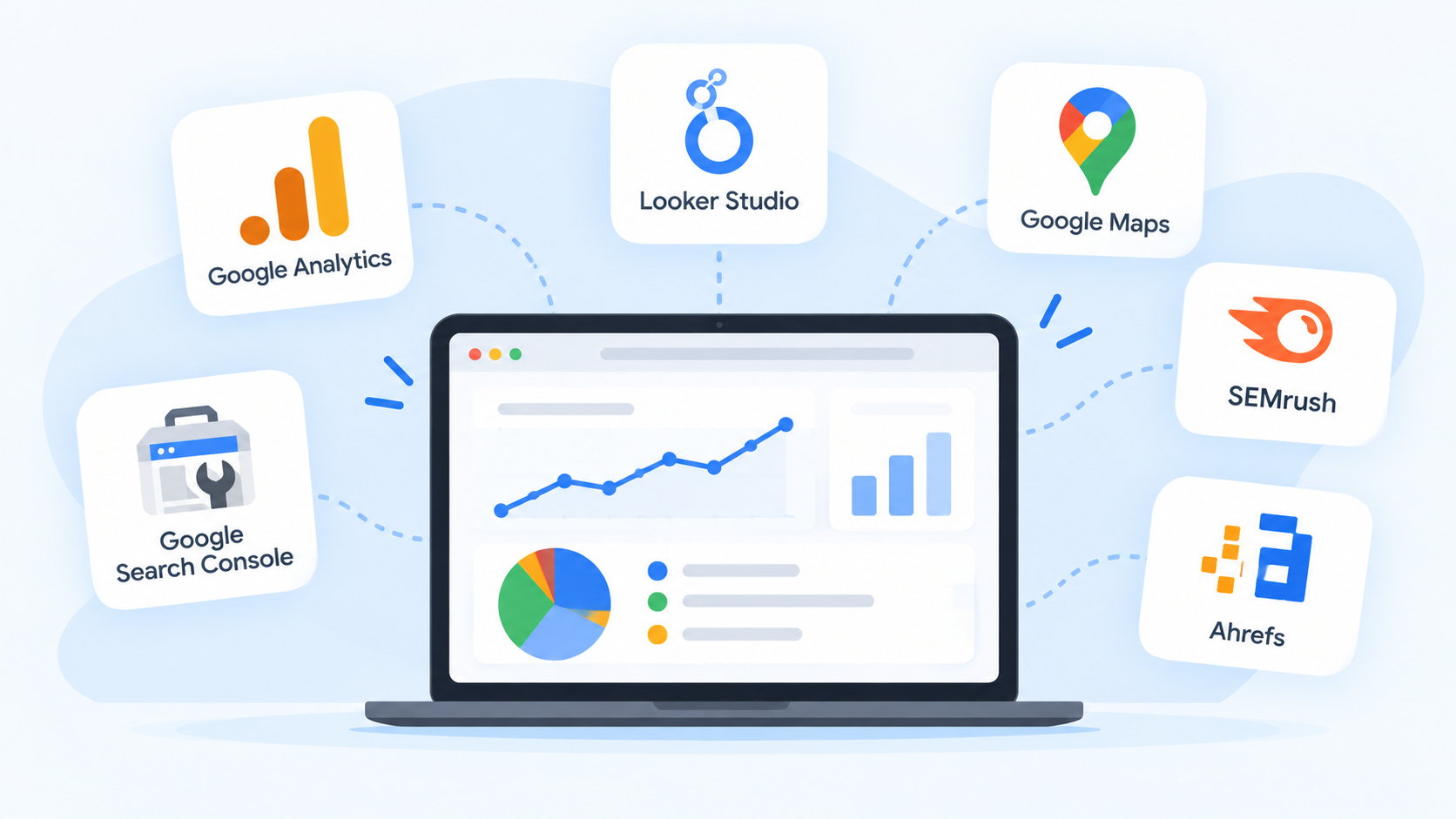
You can start with free tools. You can add paid ones as you grow.
- Google Business Profile Performance for calls, directions,s and website clicks. It is free.
- Google Search Console for how your site appears in search. It is free.
- Google Analytics for what visitors do on your website. It is free.
- A rank tracking tool for local map rankings across your area. Most of these are paid.
- Call tracking to see which calls come from your profile or site.
- A simple spreadsheet to record leads and “how did you find us?” answers.
- A dashboard tool such as Looker Studio, if you want one place for all these numbers.
The tool matters less than the habit. A simple sheet that you fill in every month is better than a fancy dashboard that nobody reads.
A Simple One-Page Report You Can Make Yourself
If you manage your own profile, copy this into a spreadsheet. Fill it in on the first day of each month.
- Month
- Calls from profile
- Direction requests
- Website clicks
- New reviews and average rating
- Leads by source: phone, WhatsApp, form, walk-in
- One thing we did this month
- One thing to try next month
After three months, you will already see patterns. If you want to understand the basics first, read our simple SEO guide for small businesses in Nepal.
Frequently Asked Questions About Local SEO Reporting
What is local SEO reporting?
Local SEO reporting is a regular summary of how your business performs in Google Maps and local search. It tracks things like calls, direction requests, reviews, rankings, Gs, and leads, and explains what changed and what comes next.
Which metrics matter most in a local SEO report?
Calls, direction requests, website clicks, reviews, local rankings, and real leads matter most. Views and impressions are useful as side notes, but they do not show customers by themselves.
How often should I get a local SEO report?
A monthly report works for most businesses. Add a quick weekly check of reviews and missed calls, and a deeper review every three months.
Where do I find Google Business Profile data?
Sign in to the Google account that manages your profile and open the Performance section. Data is available for verified profiles, and only the metrics that apply to your business will show.
Why did my calls go down this month?
Common causes are wrong opening hours, a changed phone number, a suspended profile, a holiday season, or a stronger competitor nearby. Compare with the same month last year before you worry.
Can a report show my exact ranking?
Not exactly. Local results change with where the searcher stands, so you may rank higher near your shop and lower a few streets away. A grid of rankings gives a more honest picture than one number.
How long before local SEO shows results?
Small fixes can help within weeks, but stronger results usually take a few months. Look at the trend over time, not a single week.
What is a bad sign in a local SEO report?
Watch for reports that show only rankings, have no comparison with earlier months, promise a guaranteed top spot, or never talk about calls and leads. A good report is honest about weak months too.
Can I do local SEO reporting myself?
Yes. Free tools like Google Business Profile Performance, Search Console,e and a simple spreadsheet are enough to start. You can add paid tools later if you need more detail.
Final Thoughts
A report should help you make a decision, not make you feel lost. Focus on calls, directions, reviews,ws and leads. Ask for plain words, clear comparisons,ons and a plan for the next month.
Good local SEO reporting turns a pile of numbers into a simple story: what happened, why, and what to do next. If your current reports do not do that, it is fair to ask for more.
Local SEO Reporting Help | Flowrage
Flowrage is an SEO agency in Nepal. Our team helps businesses with local SEO, technical SEO, on-page SEO, content, and websites, so customers can find them on Google. We work with shops, clinics, service companies,s and online businesses in Nepal and abroad.
If you want a second pair of eyes on your reports, book a free consultation. We will look at what you track now, tell you what to add or drop, and explain it in plain words. You can see everything we offer on our local SEO page, or look at our SEO package. For more guides, visit the Flowrage blog.
Talk to Flowrage About Your Reports
Not sure what your numbers mean? Let our team look at them and tell you what is working. No pressure, just clear answers. You can contact Flowrage online or send a message on WhatsApp.
Flowrage
Email: info@flowrage.com
Phone / WhatsApp: +977 9708052941
Website: flowrage.com
This post is general information. Google changes its tools and rules, and results are different for every business. No one can promise a fixed ranking or number of leads.