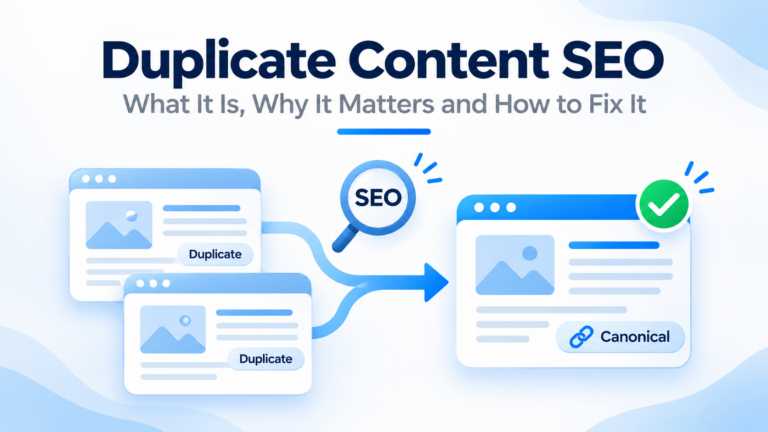
Imagine you have one product page. But it can be reached at four addresses. One has “www,” and one does not. One has a tracking code at the end. One shows the same product in a filtered list. To you, it is one page. To Google, it looks like four.
Which one should Google show in search results? If you do not say, Google picks one for you. It may not pick the one you want.
A canonical tag fixes that. It is a small line of code that points to the main version of a page. In this post, you will learn how canonical tag SEO works, how to add the tag, the rules to follow,w and the mistakes to avoid. We keep the words simple, and we answer the questions people ask most.
What Is a Canonical Tag?
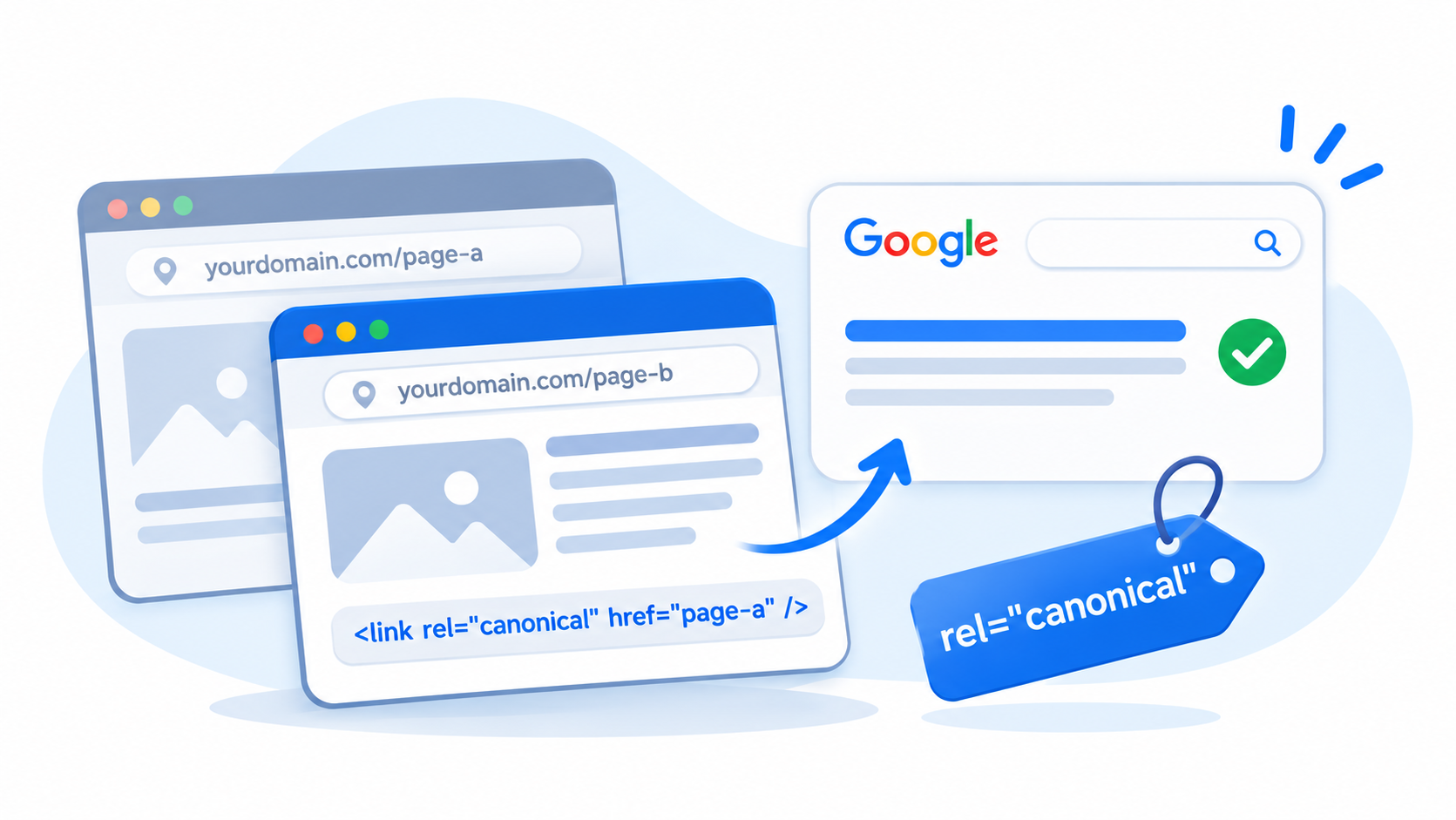
A canonical tag tells search engines which web address is the main, or “canonical”, version of a page. You put it in the head section of the page’s HTML. Here is what it looks like:
<link rel="canonical" href="https://www.example.com/blue-widget/">The “href” holds the address you want search engines to treat as the main one.
Think of a book with many printings. The canonical tag says, “this is the official edition”. Other copies can exist, but they point back to the main one. That is the core of canonical tag SEO.
Why Canonical Tag SEO Matters
Good canonical tag SEO helps your site in a few clear ways.
- It fights duplicate content. When many addresses show the same page, the tag tells Google which one to keep.
- It joins your signals. Links and other signals from the copies can count toward the main page.
- It saves crawling. Google can spend less time on copies over time.
- It helps the right page rank. You choose the page that shows up, not a random version.
- It keeps reports clean. Your traffic data is not split across many addresses.
You do not need a canonical tag on every site. But when copies exist, a clear canonical tag is one of the best tools you have. Google explains it in its guide to consolidating duplicate URLs.
How Canonical Tag SEO Works
Here is the most important thing to know. A canonical tag is a hint, not a command. Google looks at your tag, but it also looks at other signals. These include:
- Redirects.
- Which address is in your XML sitemap.
- Which address your internal links point to.
- Whether the page uses HTTPS.
- Which version looks like the best match for the content.
If all signals agree, Google follows your tag. If they clash, Google may choose a different page. That is why canonical tag SEO works best when your tags, links, sitemaps, ps, and redirects all point the same way.
How to Add a Canonical Tag
There are three ways to set a canonical.
1. In the HTML Head
This is the most common way. Add the link tag inside the head section of each page.
<head>
  <link rel="canonical" href="https://www.example.com/blue-widget/">
</head>
If your site runs on WordPress, your SEO plugin usually does this for you.
2. In the HTTP Header
For files that are not web pages, like PDFs, you can send the canonical in the server header. Your developer can set this up.
Link: <https://www.example.com/guide.pdf>; rel="canonical"3. In the XML Sitemap
Listing only your main addresses in the sitemap is a weaker signal, but it helps. Make sure every address in your sitemap is the one you want to rank.
Use the HTML head method for most canonical tag SEO work on pages. Do not use more than one method with different answers, because that sends clashing signals.
Canonical Tag SEO Best Practices
A few simple rules make your tags work well.
- Use one canonical per page. Two tags with different addresses confuse search engines, and Google may ignore both.
- Put it in the head. A canonical tag in the body of the page may not be read.
- Use the full address. Include https, the domain, ain and the full path. Avoid relative paths.
- Use self-referencing canonicals. A main page can point to itself. This protects it when odd versions of the address appear.
- Point to a working page. The target should return a normal 200 status. Do not point to a page that redirects, shows an error,rror or is set to noindex.
- Match your content. The canonical page should be the same or almost the same as the page with the tag. Pointing a different page to it is a mistake.
- Be consistent. Use the same address style everywhere, with the same choice of www, https, and trailing slash.
- Make sure it is in the raw HTML. Google can read tags added by scripts, but plain HTML is safer.
- Do not block the page in robots.txt. Google cannot read a tag on a page it cannot visit.
When to Use a Canonical Tag: Common Canonical Tag SEO Cases
| Situation | What to do |
|---|---|
| The same page at http and https, or www and non-www | Redirect first, and use self-referencing canonicals |
| The same page with tracking codes or sort options | Point the parameter address to the clean address |
| Product variants, like color and size | Point variants to the main product page, or give each its own strong content |
| Print-friendly or test copies | Point them to the main page, or block them |
| Your article posted on another site | Ask the other site to point its canonical to your original |
| Two pages that are almost the same | Merge them, or point one to the other |
| Paged lists | Give each page its own self-referencing canonical |
Canonical Tag SEO vs 301 Redirect vs Noindex
These three tools solve different problems. People often mix them up.
| Tool | What it does | When to use it |
|---|---|---|
| Canonical tag | Keeps both pages live and points to the main version | You need both addresses to work, but one should rank |
| 301 redirect | Sends visitors and search engines to a new address | The old address should disappear |
| Noindex | Tells Google not to show the page in results | The page is useful but should not rank |
A simple way to choose is this. If the old page should no longer exist, use a 301. If both pages must stay, use a canonical tag. If the page should stay but never show in search, use noindex.
Do not use a canonical tag and noindex on the same page unless you know why. They send mixed messages. Also remember that robots.txt stops Google from seeing either tag.
Canonical Tag SEO for WordPress
WordPress SEO plugins, such as Yoast SEO and Rank Math, add canonical tags by default. They usually point each page to itself. Here is what to check:
- Self-referencing tags. View a few pages and confirm each one points to its own address.
- Custom canonical fields. Most plugins let you set a different canonical for one page. Use this only when you mean to.
- Archives and tags. Decide if low-value pages should be indexed, set to noindex, or redirected.
- Two plugins. Do not run two SEO plugins that both add a canonical tag.
- Site address settings. Make sure your WordPress address and site address use your main version, such as https and www.
Our technical SEO team checks these settings in every WordPress audit.
Canonical Tag SEO for Online Stores
Stores make many near-copies, so canonical tags matter more.
- Variants. Color and size options often share one product. Point variant addresses to the main product, unless each variant has real, unique content and demand.
- Filters and sorting. Filter pages can create thousands of addresses. Point useless ones to the main category page.
- Category paths. A product may show up under many categories. Pick one main address for it.
- Tracking codes. Campaign links add parameters. Point them to the clean address.
- Out-of-stock products. Do not point them to unrelated pages. Keep, update,e or redirect them with care.
In Nepal, many shops copy supplier text and run several product addresses. A clean canonical setup, along with unique descriptions, helps your best pages stand out.
Canonical Tag SEO Special Cases: Pagination, Hreflang and Mobile Pages
Pagination
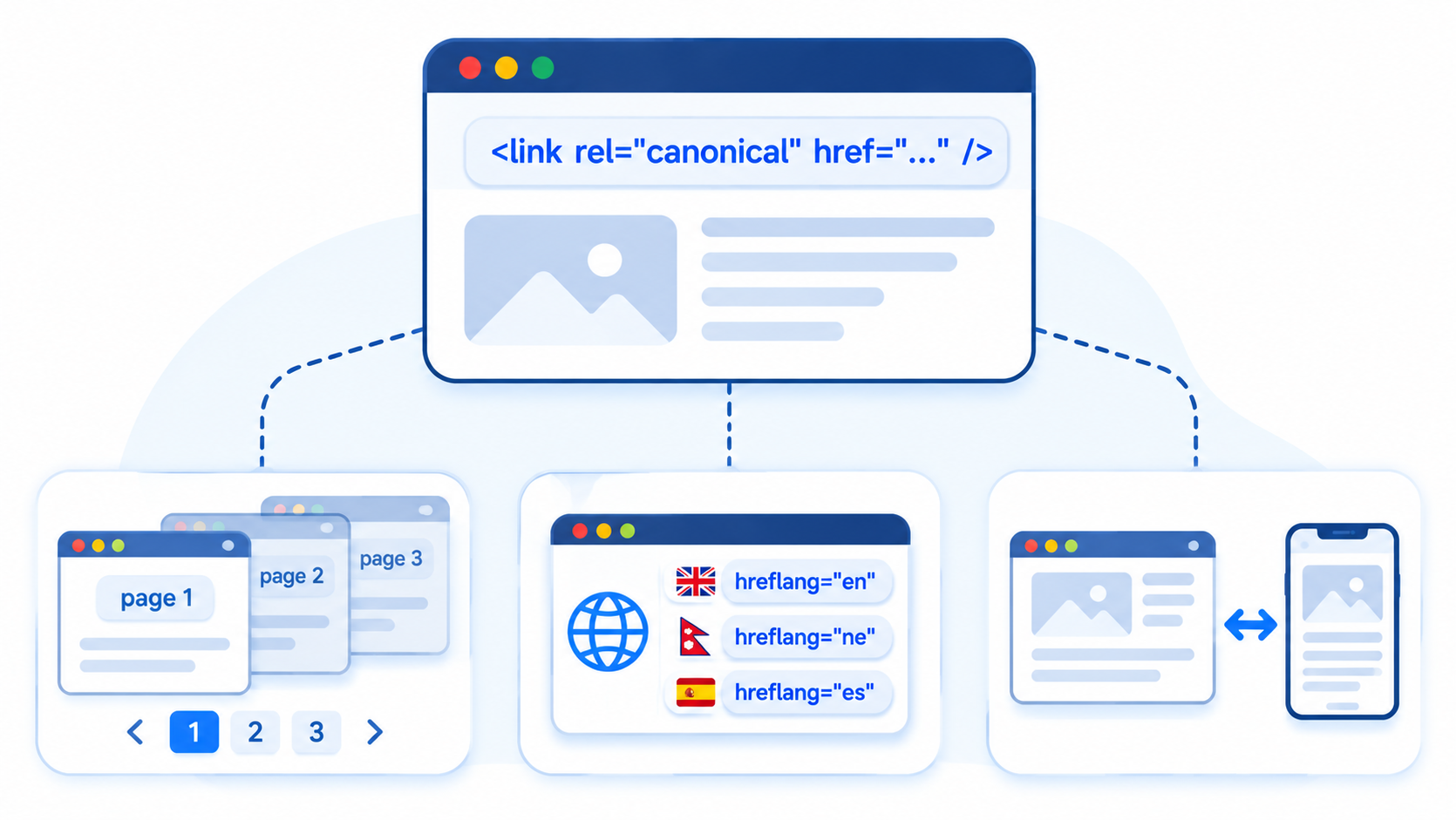
For a list split across pages, do not point every page to page one. Each page should usually point to itself. Pointing all pages to page one can hide the items on later pages from search engines.
Hreflang and Multiple Languages
If you have pages in more than one language, each language version should use a self-referencing canonical. Do not point the Nepali page to the English page. The language tags handle the link between them.
Separate Mobile Addresses
If your site has a separate mobile address, the mobile page should point to the desktop page with a canonical tag, and the desktop page should point to the mobile page with an alternate tag. Most modern sites use one responsive address instead, which avoids the problem.
How to Check Canonical Tag SEO on Your Site
Check your tags at three levels.
On a Single Page
Open the page, right-click and choose “View page source”. Search for “canonical”. You should see one tag with the right address.
In Google Search Console
Use the URL Inspection tool in Google Search Console. It shows the “user-declared canonical”, which is what your tag says, and the “Google-selected canonical”, which is what Google chose. If they differ, look for clashing signals.
The Pages report also shows reasons such as “Duplicate without user-selected canonical” and “Duplicate, Google chose different canonical than user”.
Across Your Whole Site
Run a crawler such as Screaming Frog. It lists the canonical address for each page and flags missing, multiple, relative, or non-working canonicals. The free version covers up to 500 pages.
Common Canonical Tag SEO Mistakes
- Using a relative address instead of a full one.
- Adding two or more canonical tags to one page.
- Pointing every page to the home page.
- Pointing to a page that redirects, returns an error,r or is noindex.
- Putting the tag in the body.
- Mixing canonical and noindex on the same page.
- Pointing paginated pages all to page one.
- Using a canonical to join pages that are not the same.
- Blocking the page in robots.txt.
- Using different address styles, like trailing slash and no slash, in tags and links.
- Leaving old canonical tags after a redesign or move.
- Believing the tag is a command, then wondering why Google ignored it.
A Canonical Tag SEO Checklist
- Every indexable page has one canonical tag in the head.
- Each tag uses the full address.
- Main pages point to themselves.
- Copies and parameter addresses point to the main page.
- Targets return a normal 200 status.
- Targets are not noindex and not blocked in robots.txt.
- My sitemap lists the same addresses that my tags name.
- My internal links go to the canonical addresses.
- I checked a few pages in the URL Inspection tool.
- I crawled the site and fixed errors.
- I will check again after my next redesign or plugin change.
How Often Should You Check Canonical Tag SEO?
Do a full check twice a year. Check again after a redesign, a site move, a plugin or theme change,ge or a big batch of new pages. For stores, a quick look at the Pages report in Search Console each month helps you catch problems early.
Should You Do Canonical Tag SEO Yourself or Hire Help?
You can handle the basics yourself. Checking a few pages, using your SEO plugin, gin and fixing simple errors are all doable.
You may want help if you have an online store, many parameter addresses, several languages, a recent site move, or a site where Google keeps choosing the wrong pages. At Flowrage, we review canonical tags as part of every technical audit and fix them along with redirects, sitemaps, and internal links. See our technical SEO and on-page SEO services, or browse our SEO services and SEO packages.
Frequently Asked Questions About Canonical Tag SEO
What is canonical tag SEO?
It is the use of a canonical tag, a line of code that tells search engines which address is the main version of a page. It helps you handle duplicate and near-duplicate pages.
Does canonical tag SEO need a tag on every page?
It is a good habit. A self-referencing canonical on each indexable page protects it from odd address versions. Many SEO plugins add them for you.
Is a canonical tag a command?
No. Google treats it as a strong hint. It also looks at redirects, sitemaps, and internal links, and it may pick a different page if the signals clash.
What is the difference between a canonical tag and a 301 redirect?
A 301 redirect sends people and search engines to a new address, and the old one stops being used. A canonical tag keeps both addresses working, but points to one as the main version.
Can I use a canonical tag and noindex together?
It is usually a mistake. A canonical says “treat this as a copy of that page”, while noindex says “do not show this page”. Together they send mixed signals. Pick one tool based on your goal.
Should a canonical tag point to itself?
Yes, in most cases. A self-referencing canonical helps protect a page when stray versions of its address appear.
What happens if my canonical tag SEO is wrong?
Google may ignore it, or it may drop the page you wanted to rank from results. For example, pointing every page to the home page can hurt a lot of pages at once.
How do I check which canonical Google chose?
Use the URL Inspection tool in Google Search Console. It shows the canonical you declared and the one Google selected.
How should canonical tag SEO handle paginated pages?
Each paginated page should usually point to itself. Do not point them all to page one, or search engines may miss the items on later pages.
Does canonical tag SEO work across different domains?
Yes. A cross-domain canonical can point a copy on one site to the original on another. It is a hint, so use it with a clear agreement with the other site.
Start With One Simple Check
Pick your most important page. Right-click, choose View page source,ource” and search for “canonical”. Check that there is one tag, that it uses the full address, and that it points to the right page. Then do the same in the URL Inspection tool. That takes about ten minutes, and it is the best first step in canonical tag SEO.
If you would like an expert to review your site, book a free consultation with Flowrage. We will check your canonical tags, explain what we found,d and show you what to fix first.