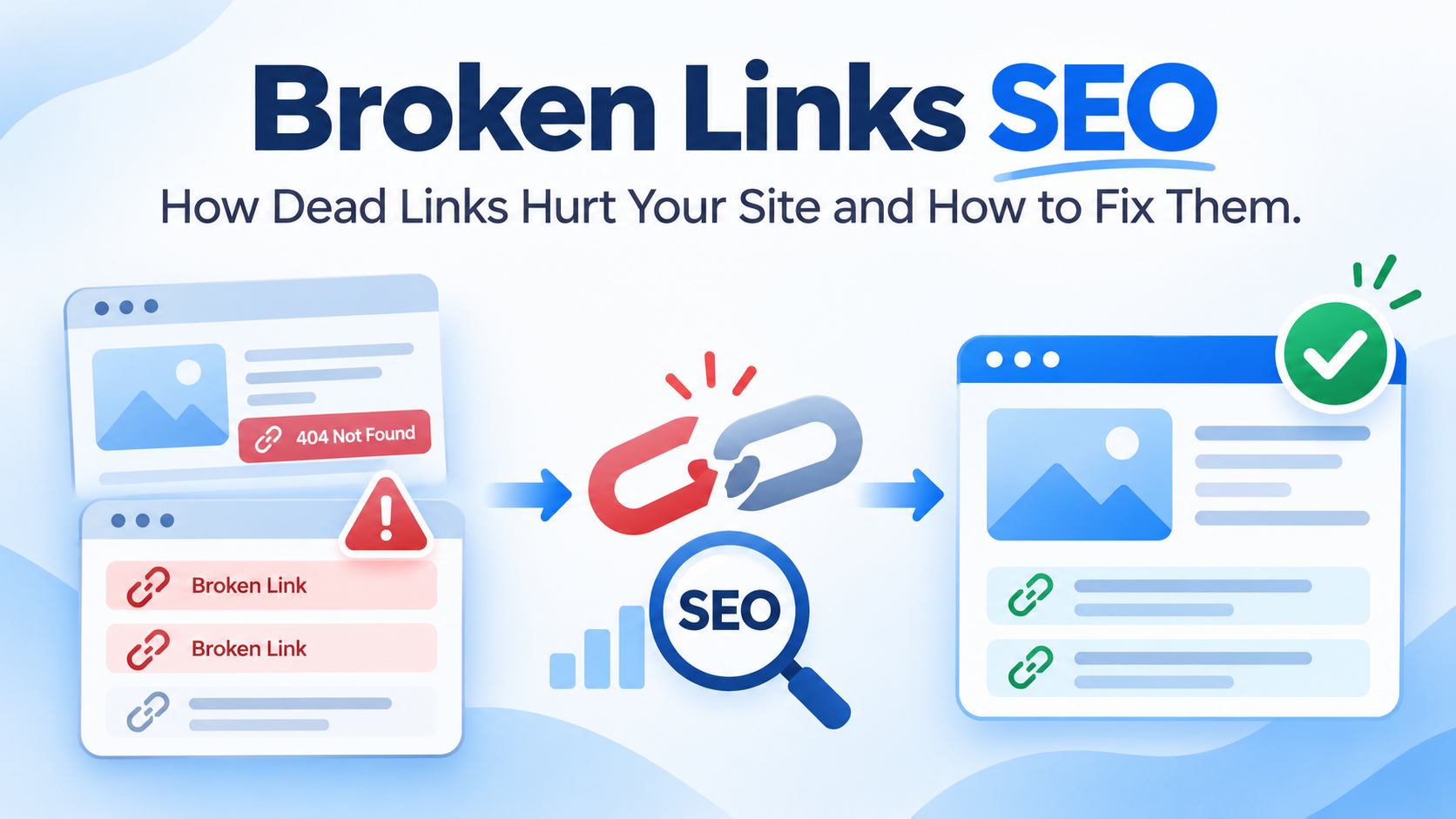
A visitor clicks a link on your site. The page that opens says “404 Not Found”. They leave. You never hear about it.
Now picture that happening a few times a day. A customer tries your contact page. A reader follows a link in your best blog post. Another site links to a page you deleted last year. Each one is a small loss, and together they add up.
This is the problem broken-link SEO work solves. In this post, you will learn what broken links are, how they affect your site, how to find them and how to fix them. We keep the words simple, and we answer the questions people ask most. Broken links SEO is not hard. It just needs a routine.
What Are Broken Links?
A broken link leads to a page that doesn’t work. Someone clicks it, and instead of the page they wanted, they see an error. People also call them dead links or link rot.
There are four common kinds. Knowing them makes broken link SEO checks faster.
- Internal broken links. A link on your site that points to another page on your site that is gone.
- External broken links. A link from your site to another site that has moved or closed.
- Broken backlinks. Another site links to a page on your site that no longer works.
- Broken images and files. The page loads, but a picture, video or document is missing.
Status Codes to Know
Every address gives back a status code. These are the ones you will see most.
| Code | Meaning | Broken? |
|---|---|---|
| 200 | The page works | No |
| 301 | Moved for good | No, but check it |
| 302 | Moved for now | No, but check it |
| 404 | Not found | Yes |
| 410 | Gone for good | Yes, on purpose |
| 500 to 599 | Server error | Yes |
Broken links SEO audits rely on these codes. Google lists them in its guide to HTTP status codes.
Do Broken Links Hurt SEO?
This is the question most people ask first. The honest answer has two parts.
First, a few broken links will not hurt your rankings. Google has said that 404 pages are a normal part of the web, and it does not punish a site for having some of them. Pages come and go.
Second, broken links SEO problems can still hurt you in indirect ways. When many links are broken, or when they sit on your most important pages, you lose visitors, waste search engine time, and lose the value of links that point to you. We explain each of these below.
So the rule for broken links SEO is simple. Do not panic about a few 404s. But do fix the ones that matter.
How Broken Links SEO Problems Hurt Your Site
They Frustrate Visitors
People who hit a dead page often leave. If it happens on a page that should lead them to buy, call, or book, you lose a customer. A site full of dead ends also looks neglected, and that hurts trust.
They Waste Crawling
Search engines visit your pages and follow your links. When they follow a link to a dead page, that visit is wasted. For a small site, this is minor. For a large site with thousands of pages, it can slow down how fast new pages get found.
They Break the Flow of Link Value
Links pass trust from one page to another. A broken internal link stops that flow. Your good pages do not get the support they should. Your site’s structure also becomes harder for search engines to read.
They Waste Backlinks
If another site links to a page that now shows a 404, that link helps no one. You worked hard to earn it, and it is going nowhere. Fixing it can bring that value back.
They Hurt Conversions
A broken link in your menu, footer, contact form, or checkout is a direct loss. Even one such link can cost you real money every week.
Why Broken Links Cause SEO Problems
Most broken links are not mistakes by anyone in particular. They happen because websites change.
- You delete a page or a blog post.
- You change a page address and forget to add a redirect.
- You redesign the site or move to a new domain.
- You type a link wrong, with a missing letter or an extra slash.
- Another site closes, moves, or removes the page you linked to.
- A file or image gets removed from your media library.
- A plugin or theme update changes how addresses work.
- A product goes out of stock, and the page is deleted.
How to Find Broken Links SEO Issues
You do not need paid tools to start. Follow these steps.
Step 1: Check Google Search Console
Open Google Search Console and go to the Pages report under Indexing. Look for reasons like these:
- Not found (404). Pages Google tried to visit and could not find.
- Soft 404. Pages that look empty or like an error, even if the server says they are fine.
- Server error (5xx). Pages where your server failed.
Click each reason to see the list of addresses. Many will be old pages you already know about. Some will be surprises.
Step 2: Crawl Your Site
A crawler visits every page on your site and checks each link, as a search engine does. Screaming Frog is a common choice, and its free version crawls up to 500 pages. After the crawl, open the response codes tab and filter for 4xx and 5xx. Click a broken address and open “Inlinks” to see which pages link to it. That tells you where to fix it.
You can also use an online broken link checker. Many are free for small sites.
Step 3: Check Your Analytics
In Google Analytics, look for pages with the title “Page not found” or similar. This shows how many real visitors hit 404 pages and how many times. Fix the ones with the most visits first.
Step 4: Check Your Backlinks
Use a backlink tool, such as the free Ahrefs Webmaster Tools for your own site, to see which links point to your site. Look for ones that lead to pages that now return a 404. These are your best chances to reclaim link value.
Step 5: Click Through by Hand
Open your home page, menu, footer, top service pages, and best blog posts. Click the important links. This is slow, but it catches problems that tools can miss, like a button that goes nowhere.
| Tool | What it finds | Cost |
|---|---|---|
| Google Search Console | 404s and errors Google saw | Free |
| Screaming Frog | Broken links on your own pages | Free up to 500 URLs |
| Google Analytics | 404 pages real visitors hit | Free |
| Ahrefs Webmaster Tools | Broken backlinks to your site | Free for your own verified site |
| Manual check | Buttons and menu links | Free |
How to Fix Broken Links SEO Problems
The right fix depends on why the link broke. Use this table as a quick guide.
| Problem | Best fix |
|---|---|
| Typo in a link | Correct the address |
| Page moved to a new address | Update the link and add a 301 redirect |
| Page deleted, but a close match exists | 301 redirect to the closest page |
| Page deleted, nothing replaces it | Remove the link, and let the old page return a 404 or 410 |
| Other site deleted the page | Remove the link or swap it for a better source |
| Other site moved the page | Update to the new address |
| Link goes through a long redirect chain | Link straight to the final address |
| Missing image or file | Upload it again, or remove it |
| Server error | Check your host, then test again |
Update the Link: The Cleanest Broken Links SEO Fix
The cleanest fix is to change the link itself. If the page moved, point the link to the new address. If it was a typo, correct it. This works for internal links and for external links on your pages.
Use a 301 Redirect for Broken Links SEO
When a page has moved or been replaced, add a 301 redirect from the old address to the new one. Visitors and search engines then go to the right place, and any backlinks keep their value. Be careful to redirect to a page that truly matches. Sending every dead page to the home page confuses both people and search engines. Google explains this in its guide to redirects.
Restore the Page
If a deleted page still gets visits or backlinks, the best fix may be to bring it back. A strong old page can be worth more than a redirect.
Remove the Link
If there is no good replacement, take the link out. A missing link is better than a dead one.
Let It Return a 404 or 410
If a page is gone for good and has no links or visits, you can leave it as a 404. A 410 tells search engines it was removed on purpose. Both are fine for pages with no value.
Replace Outbound Links
If a site you linked to has closed, find a good new source and link to that. It improves your content at the same time.
Broken Links SEO: Reclaim Link Value From Broken Backlinks
Broken backlinks are a chance, not only a problem. Fixing them is one of the best broken links SEO wins. Here is how to use them.
- List the pages on your site that have backlinks but return a 404.
- Pick the ones with the best links, from real sites in your field.
- Redirect each old address to the closest live page, or restore it.
- For very good links, you can also ask the site owner to update the link.
There is another side to this. Some SEO teams use broken link building. They find dead links on other sites in their field, then offer their own page as a replacement. This can earn good links when it is done politely and with a truly useful page. Our guide to off-page SEO covers safe ways to earn links.
Build a Helpful 404 Page for Broken Links SEO
Some 404s will always happen. A good 404 page keeps visitors on your site.
- Say clearly that the page was not found.
- Keep your menu and logo so the visitor can find their way.
- Add a search box and links to your main pages.
- Use a friendly tone, and perhaps a touch of humor.
- Make sure the page returns a real 404 status, not a normal 200 status. Otherwise, search engines may treat it as a soft 404.
Broken Links SEO for Local Businesses in Nepal
Local sites have a few extra places where links break.
- Your Google Business Profile. If the website link in your profile breaks, people who find you on Google Maps cannot reach you. Check it often.
- Your menu and booking links. A dead booking or order link loses customers directly.
- Social media links. Links to old Facebook pages or closed profiles are common.
- Old domains. Many Nepali businesses change their site address or move from a free builder to their own domain. Redirect the old one.
- Directories and listings. Old listings may link to pages you removed. Update them.
- Printed QR codes. A code on a menu or poster that leads to a dead page wastes a printed item. Test each code.
Our local SEO services include checking these links, along with your listings and profile.
Broken Links SEO After a Redesign or Site Move
A redesign or move is the biggest cause of broken links. Before the new site goes live:
- Make a list of all old addresses from your sitemap, Search Console, and a crawl.
- Match each old address to a new one.
- Set up 301 redirects for every page that changes.
- After launch, crawl the new site and check Search Console for 404s.
- Keep the redirects in place for at least a year, and longer for pages with strong links.
Skipping this step is one of the top reasons sites lose traffic after a rebuild. If you are planning one, our website development team builds the redirect plan into every project.
A Broken Links SEO Checklist
- I checked the Pages report in Search Console for 404s and soft 404s.
- I crawled my site and listed all broken internal and outbound links.
- I fixed broken links in my menu, footer, and top pages first.
- I set up 301 redirects for pages that moved.
- I checked my backlinks for ones that lead to 404 pages.
- I replaced or removed dead outbound links.
- I made a helpful 404 page that returns the right status.
- I tested the website link in my Google Business Profile.
- I tested the QR codes on my printed items.
- I set a reminder to check again soon.
Common Mistakes in Broken Links SEO
- Treating every 404 as an emergency.
- Ignoring broken links on key pages.
- Redirecting every dead page to the home page.
- Leaving long chains of redirects.
- Deleting pages without checking for links to them.
- Forgetting about backlinks that point to old pages.
- Using a 200 status on the 404 page.
- Fixing links once and never checking again.
- Running a broken link plugin all the time on a weak host. Some plugins use a lot of server power.
How Often Should You Check Broken Links SEO?
- Every month for sites that change often, like blogs and stores.
- Every three months for small, steady sites.
- After a redesign, move, or big content cleanup.
- After you delete or rename pages.
- Before you start a big campaign.
Small, regular checks are better than a huge cleanup once a year. A monthly broken links SEO check takes about thirty minutes for most small sites.
Should You Do Broken Links SEO Yourself or Hire Help?
You can handle the basics of broken links SEO yourself. Finding 404s in Search Console, fixing typos, and updating links are all doable.
You may want help if your site has hundreds of broken links, if you just moved a large site, if you have lost traffic after a rebuild or if you do not have the time. At Flowrage, we find broken links in every site audit, then fix them with the right redirects, updates, and cleanups. See our technical SEO and on-page SEO services, or browse our SEO services and SEO packages.
Frequently Asked Questions About Broken Links SEO
Do broken links hurt SEO?
A few will not cause a penalty. But many broken links, or broken links on key pages, hurt user experience, waste crawling, and can waste the value of backlinks. That can affect results over time.
How do I find broken links SEO problems on my website?
Check the Pages report in Google Search Console, crawl your site with a tool like Screaming Frog, look at your analytics for 404 pages and check your backlinks for dead targets.
What is the difference between a 404 and a soft 404?
A 404 is a real error page that returns the correct status code. A soft 404 looks like an error or an empty page, but the server says it is fine. Google treats both as pages that do not work.
Should I redirect every broken link?
No. Redirect pages that have backlinks, traffic or a close replacement. For pages with no value, a 404 or 410 is fine.
Is a 301 redirect better than fixing the link?
Fixing the link is cleaner for internal links, because it goes straight to the right page. Use a 301 redirect too if the old address may still get visits or backlinks.
Do broken outbound links hurt my SEO?
They do not directly cause a penalty, but they hurt user trust and make your content look old. Replace or remove them.
How many broken links SEO issues are too many?
There is no set number. Focus on broken links in your menu, footer, top pages, and conversion paths, and on pages with backlinks. A few unimportant 404s are normal.
How do I fix broken links in WordPress?
Edit the link in the page or post, or set up redirects with your SEO plugin or a redirect plugin. Always back up your site before big changes.
What is broken link building?
It is a way to earn backlinks. You find dead links on other sites in your field and offer your own page as a replacement. It works best when your page is truly useful.
Can broken links SEO problems cost me traffic after a redesign?
Yes. If old addresses stop working and have no redirects, you can lose rankings, backlinks, and visitors. Plan redirects before you launch.
Start Fixing Broken Links SEO Problems Today
Open the Pages report in Google Search Console and look at the “Not found (404)” list. Pick the top five addresses and decide if each needs an update, a redirect or nothing. That takes about twenty minutes and often finds links you did not know were broken.
If you would like an expert to check your site, book a free consultation with Flowrage. We will find the broken links, explain what matters,s and show you how to fix them.