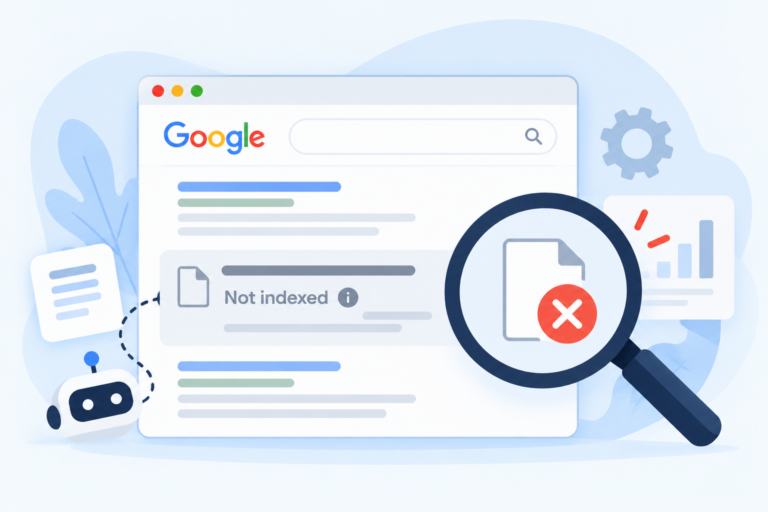
You search for one of your pages on Google, and a different page of yours shows up. Or an old web address shows up instead of the new one. Or worse, a page from another site that copied your words ranks above you.
These are all signs of a duplicate content SEO problem. It is one of the most common issues we find when we audit a site, and it is also one of the most misunderstood. Some owners panic about it. Others ignore it. Neither is right.
This post explains duplicate content SEO in simple words. You will learn what duplicate content is, what really causes it, how to find it, and how to fix it. We will also answer the questions people ask most.
What Is Duplicate Content in SEO?
Duplicate content means the same text, or almost the same text, shows up on more than one web address. The addresses can be on one site or on different sites.
There are two main kinds:
- Internal duplicate content. The same or very similar content appears on more than one page of your own site.
- External duplicate content. Your content appears on other sites, or other sites’ content appears on yours.
It also helps to know the difference between exact and near duplicates. An exact duplicate is a full copy. A near duplicate is a page that is mostly the same with a few small changes, like a swapped city name.
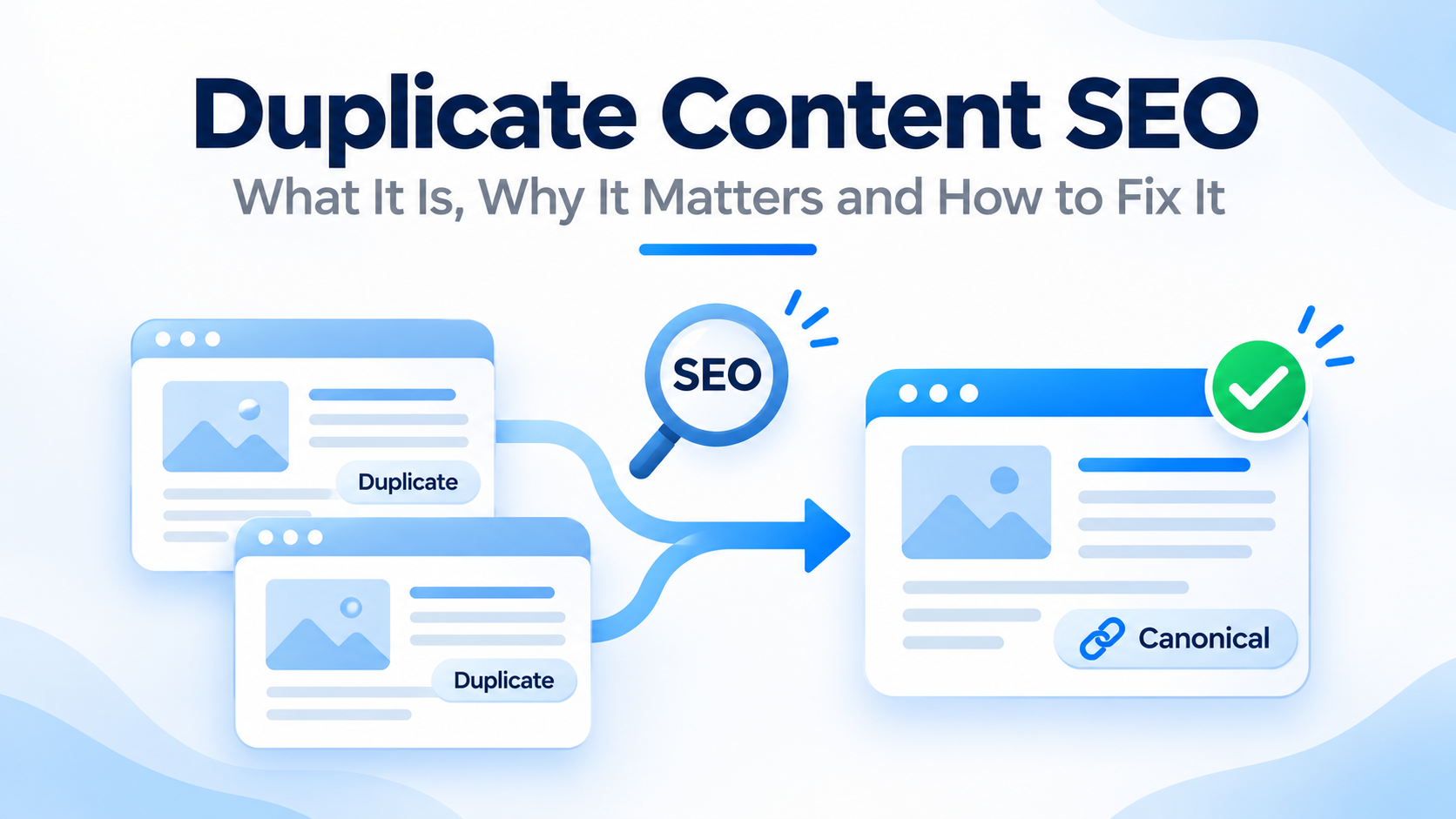
Duplicate content SEO is the work of finding these copies and telling search engines which page is the main one.
Does Duplicate Content SEO Cause a Penalty?
This is the first question most people ask. The short answer is usually no.
Google has said that having some duplicate content on your site is normal, and that it does not punish a site for it. Duplicate content only becomes a problem when it is used to trick search engines, such as copying lots of other sites’ content on purpose.
But “no penalty” does not mean “no problem”. Duplicate content SEO issues can still hurt your site in quiet ways, which we cover next. Google also explains how it handles copies in its guide to consolidating duplicate URLs.
Why Duplicate Content SEO Problems Hurt Your Site
Even without a penalty, copies cause real trouble.
- The wrong page may rank. Google picks one version to show. It may not pick the one you want.
- Your links get split. If other sites link to three versions of one page, the value is spread out, not added up.
- Crawling is wasted. Search engines spend time on copies instead of your new and important pages.
- Results can be confusing. Visitors may land on a messy or old version of a page.
- Your reports are muddy. Traffic and rankings get spread across many addresses, so it is hard to see what works.
For a small site, the biggest harm is that your best page may not be the one that ranks. For a large site, wasted crawling can slow down how fast new pages get found.
Common Causes of Duplicate Content SEO Problems
Most duplicate content SEO issues are not caused on purpose. They come from how sites are built.
Different Versions of the Same Address
A site can often be reached in many ways:
- http://example.com and https://example.com
- https://www.example.com and https://example.com
- example.com/page and example.com/page/
- example.com/index.html and example.com
To a search engine, each of these can look like a different page, even if the content is the same.
URL Parameters
Extra bits at the end of an address, like ?sort=price or ?utm_source=facebook, make new addresses for the same page. Filters, tracking codes, search results, and session IDs all do this.
WordPress Archives and Attachments
Many WordPress sites create extra pages by default. These include category pages, tag pages, date archives, author pages, and image attachment pages. They often repeat text from your posts and add little value.
Copied Product Descriptions
Online stores often use the description from the maker or supplier. If fifty shops use the same words, none of them stands out. Variants of one product, like color and size, can also create near-identical pages.
Location Pages With the Same Text
A business with many areas may copy one page and swap the city name. The pages look different on the surface, but the content is almost the same.
Printer, Mobile and Test Versions
Some sites have print-friendly pages, a separate mobile address, or a test site that Google can reach. A test or staging site left open to search engines is a common cause of copies.
Syndicated and Scraped Content
You may share your article on another site, or another site may copy it without asking. Both create copies across the web.
How to Find Duplicate Content SEO Issues
You do not need paid tools to start. Follow these steps.
Step 1: Search for an Exact Sentence
Copy one unique sentence from your page. Put it in quotation marks and search it on Google. If other pages show up with the same sentence, you have copies.
Step 2: Use Google Search Console
Open Google Search Console and go to the Pages report under Indexing. Look for these reasons:
- Duplicate without user-selected canonical. Google found copies, and you did not say which is the main one.
- Duplicate, Google chose a different canonical than the user. You named a main page, but Google picked another.
- Alternate page with proper canonical tag. This is usually fine. It means the page points to the main version.
Use the URL Inspection tool on a page to see which version you declared and which version Google chose.
Step 3: Crawl Your Site
Run a crawler like Screaming Frog. The free version crawls up to 500 pages. It can show duplicate page titles, headings,s and meta descriptions, which often point to duplicate pages. Its paid version can also check for near-duplicate text.
Step 4: Check Other Sites
Use a tool that checks for copies across the web. Copyscape and Siteliner are two common choices, with limited free use. They show where your text appears elsewhere.
Step 5: Check Your Address Versions
Type your site into a browser in all four ways: with and without “www”, and with “http” and “https”. All of them should end up at one address. If more than one loads, you have a problem.
| Tool | What it finds | Cost |
|---|---|---|
| Google search | Copies of exact sentences | Free |
| Google Search Console | Duplicate pages Google found | Free |
| Screaming Frog | Duplicate titles, headings and pages on your site | Free up to 500 URLs |
| Siteliner | Repeated text inside your site | Limited free use |
| Copyscape | Copies of your text on other sites | Paid, with limited free checks |
How to Fix Duplicate Content SEO Problems
The right fix depends on the cause. Use this table as a quick guide.
| Problem | Best fix |
|---|---|
| Several versions of your site address | 301 redirect all to one main version |
| Same page with different URL parameters | Add a canonical tag that points to the clean address |
| Two pages on the same topic | Merge them and redirect the weaker one |
| Thin tag or archive pages | Noindex them, or remove them |
| Copied product descriptions | Rewrite them in your own words |
| Near-identical location pages | Write unique content for each place |
| Test site open to Google | Block it with a password and noindex |
| Your content copied by another site | Ask for removal, or use a legal notice if needed |
Use 301 Redirects for Duplicate Content SEO
A 301 redirect sends visitors and search engines from one address to another for good. Use it when you want one address to replace another. For example, send HTTP to HTTPS, and send the non-www version to the www version, or the other way around. Google has a guide on redirects.
Use Canonical Tags for Duplicate Content SEO
A canonical tag tells search engines which version of a page is the main one. It is a small line of code in the page head.
<link rel="canonical" href="https://www.example.com/blue-widget/">We explain this in more detail below.
Use Noindex for Pages That Should Not Show
A noindex tag tells search engines not to show a page in results. Use it for pages that help visitors but should not rank, like some archive pages or internal search results.
Merge and Rewrite to Fix Duplicate Content SEO Issues
If two pages cover the same topic, combine the best parts into one stronger page and redirect the other. If a page is a copy of someone else’s text, rewrite it so it is truly yours.
Keep Your Links and Sitemap Clean
Link to the main version of each page everywhere on your site. List only the main versions in your XML sitemap. This sends a clear message about which pages you want to rank.
Canonical Tags in Duplicate Content SEO
Canonical tags are the most used fix in duplicate content SEO. A few simple rules keep them working.
- Use one canonical per page. Two different ones confuse search engines.
- Use the full address. Include https and the whole path.
- Point to a working page. Do not point to a page that redirects, returns an error, or is set to noindex.
- Use self-referencing canonicals. A main page can point to itself. This protects it from stray parameters.
- Match your redirects. Do not tell search engines one thing with a redirect and another with a canonical.
- Remember it is a hint. Google may choose a different page if your signals clash.
Many WordPress SEO plugins add canonical tags for you. Check that they point to the right pages.
Duplicate Content SEO Across Different Websites
Sometimes the copy lives on another site. There are three common cases.
- Syndication. You publish your article on a partner site. Ask them to add a canonical tag that points to your original, or to noindex their copy.
- Scraping. A site copies your content without permission. Google usually finds the original, but you can ask the site to remove it. If they refuse, you can file a removal request with Google.
- Your own copies. You use text from a supplier, a press release, or another site. Rewrite it so your page adds value.
Publish your own content first and make sure Google can find it fast. Add it to your sitemap and, for important pages, use the URL Inspection tool.
Duplicate Content SEO for Local and Multi-Location Businesses in Nepal
If you serve more than one city, you may be tempted to copy one service page for Kathmandu, Lalitpur and Bhaktapur. Do not just swap the name.
Give each location page its own value:
- Real details about that area, like landmarks, travel tips, and local needs.
- A local address, phone number, and map.
- Local photos, reviews, and examples of your work.
- Unique titles, headings, and meta descriptions.
If you cannot make a page truly different, it may be better to have one strong page that covers several areas. Our local SEO services can help you build useful location pages.
In Nepal, many sites also copy content from Facebook posts, supplier brochures, or competitors. Write your own versions, and add real photos and details. That helps you stand out.
Duplicate Content SEO for Online Stores
Stores face the same problem on a bigger scale.
- Product descriptions. Write your own. Add size, use, care, delivery, and real photos.
- Variants. For color and size options, use one main page for the product and let the variants be options on it, or use canonical tags.
- Filters and sorting. Filter pages can create thousands of addresses. Keep the useful ones indexable and block or canonical the rest.
- Category pages. Add a short, helpful intro. Do not leave them as a bare list of products.
A Duplicate Content SEO Checklist
Use this list for your site.
- My site loads on only one main address, with one choice of www and https.
- Old addresses redirect to the new ones with a 301.
- Each important page has one clear canonical tag.
- I checked the Pages report in Search Console for duplicate reasons.
- My tag, archive, and attachment pages are set to noindex or removed, unless they have real value.
- My product and location pages have unique text.
- My XML sitemap lists only main versions.
- My test or staging site is blocked from search engines.
- I checked for copies of my content on other sites.
- I have set a reminder to check again in six months.
Common Mistakes in Duplicate Content SEO
- Panicking about a penalty that does not exist.
- Ignoring the issue because “Google handles it”.
- Using canonical and noindex on the same page in a confusing way.
- Pointing a canonical to a page that redirects.
- Blocking duplicate pages in robots.txt, so Google cannot see the canonical tag.
- Swapping only the city name on location pages.
- Copying supplier text word for word.
- Redirecting every old page to the home page.
- Fixing it once and never checking again.
How Often Should You Check Duplicate Content SEO?
Do a full check twice a year. Check again after a redesign, a site move, a plugin change, or a big content push. For stores and large sites, a quick monthly look at the Pages report in Search Console helps you catch issues early.
Should You Fix Duplicate Content SEO Yourself or Hire Help?
You can fix the basics yourself. Checking your site versions, setting up redirects, using canonical tags, and rewriting copied text are all things many owners can do.
You may want help if your site is large, if you have an online store, if your site was moved or rebuilt, or if you cannot tell why Google picks the wrong pages. At Flowrage, we find duplicate content as part of every site audit, then fix it with the right mix of redirects, canonicals, and rewrites. See our technical SEO, on-page SEO, and content marketing services, or browse our SEO services and SEO packages.
Frequently Asked Questions About Duplicate Content SEO
Is there a duplicate content penalty?
Usually no. Google says duplicate content is common and it does not punish sites for it, unless the copying is meant to trick search engines. But copies can still cause ranking and crawling problems.
How much duplicate content is acceptable?
There is no fixed percentage. Some repeated text, like menus, footers, and short quotes, is normal. The problem is whole pages that are the same or nearly the same, without a clear main version.
What is a canonical tag?
It is a line of code that tells search engines which version of a page is the main one. It helps you fix duplicate content SEO issues without deleting the other pages.
How do I check duplicate content SEO on my site?
Search a unique sentence in quotes on Google, check the Pages report in Search Console, crawl your site with a tool like Screaming Frog,og and use a copy checker like Copyscape or SiteLiner.
Should I use a canonical tag or a 301 redirect?
Use a 301 redirect when the old page should disappear, and visitors should go to the new one. Use a canonical tag when both pages need to stay live, but one should be the main version.
Does duplicate content SEO hurt local rankings?
It can. Near-identical location pages may not rank well, and they add little value for visitors. Give each location page unique, useful content.
Is duplicate content SEO a problem on product pages?
It can be, especially if many sites use the same supplier text. Write your own descriptions and add real photos, details, and reviews to stand out.
How do I fix duplicate content in WordPress?
Set your preferred site address, redirect other versions, check the canonical tags your SEO plugin adds, and set low-value tag, date, and attachment pages to noindex.
What is the difference between duplicate content and thin content?
Duplicate content is the same text in more than one place. Thin content is a page that has little useful text, even if it is original. Both can hold a site back.
What should I do if another site copies my content?
First, ask the owner to remove it or to add a canonical tag that points to your page. If that fails, contact the host or file a removal request with Google.
Start Fixing Duplicate Content SEO Today
Type your site into a browser with and without “www”, and with “http” and “https”. Check that all four lead to one address. Then open the Pages report in Search Console and look for duplicate reasons. That takes about fifteen minutes and often shows the biggest problem right away.
If you would like an expert to check your site, book a free consultation with Flowrage. We will find the duplicates, explain the cause in plain words, and show you how to fix them.